How to Pay for Boosty with Crypto When Local Cards Are Blocked (2026)

Boosty does not accept cryptocurrency directly. There is no wallet connect, no USDC option, and no on-chain checkout for subscriptions, tips, or paid posts. Boosty's checkout takes bank cards, and it separates Russian-issued cards, which pay in rubles, from everything else, which pays as a "global card" in a non-ruble currency -- US dollars or euros. PayPal, which used to be the escape hatch for international supporters, is no longer available at checkout.
The workaround is to hold a card that Boosty's processor reads as an ordinary Visa or Mastercard, and fund that card with crypto instead of a bank account. The merchant sees a normal dollar-denominated card charge. You never touch a bank wire or an exchange withdrawal.
This guide covers what Boosty costs, why its checkout rejects so many legitimate cards, and the three methods that work in 2026.
Boosty is free to browse and free to follow. You only pay when you subscribe to a creator's tier, tip, or unlock a paid post. Creators set their own prices, and each tier carries a price in rubles, dollars, and euros, so what you actually pay depends on which currency the checkout is set to.
| What you are paying for | Typical price | Notes |
|---|---|---|
| Free follow | $0 | Public posts only, no card required |
| Entry subscription tier | ~$3-$5/mo | The most common first tier for art, gaming, and modding creators |
| Mid subscription tier | ~$10/mo | Archives, source files, early access |
| Top subscription tier | $20+/mo | Commissions, 1:1 access, high-resolution assets |
| One-time tip | Any amount | The Donate button on the creator profile |
| Paid single post | Set per post | One-time unlock, no recurring billing |
| Platform commission | ~10% (creator side) | Deducted from the creator's payout, not added to your price |
Two details matter for payment planning. Subscriptions are recurring, so the card has to survive a rebill next month, not just one charge. And the currency toggle at checkout is not cosmetic: paying a global card in rubles is one of the most common causes of a failed Boosty payment.
Boosty is not a hostile merchant. It is a platform built on local payment infrastructure that later bolted on an international lane, and that lane has been fragile for years. Here is what actually goes wrong:
Two separate checkout lanes, and a currency toggle. Boosty runs different flows for Russian and non-Russian cards, and a global card has to be charged in a non-ruble currency -- USD or EUR, both of which Boosty prices tiers in. Picking the wrong lane, or leaving the toggle on RUB, produces a generic error with no explanation.
No PayPal fallback. Boosty was disconnected from PayPal, so the wallet route many international supporters relied on is gone. Cards are effectively the only path, and they must clear 3D Secure.
Issuer-side blocks. Plenty of banks decline the merchant descriptor outright. One bank's card fails at Boosty while another bank's card on the same network succeeds, with nothing you did explaining the difference.
Card access itself. A large share of Boosty's audience is in countries where a local bank will not issue a card that works on international e-commerce. For those supporters the problem is not a declined card. It is not having a usable card at all.
That last point is the real story. Boosty's supporters are not looking for a clever payment trick. They want legitimate access to a card product their local banking system does not offer.
This is the most reliable and most repeatable option. A crypto debit card holds a fiat balance funded by stablecoins or SOL. At checkout, Boosty's processor sees a standard card authorization in whichever currency you selected.
- Sign up for a crypto card provider and have a card issued to your account
- Top up the balance with USDC, USDT, SOL, or SOLC
- Open the Boosty creator page and select the tier, tip, or paid post
- At checkout, choose the global (non-Russian) card option and switch the currency off rubles, to USD or EUR
- Enter the card number, expiry, and CVV, then complete the 3D Secure challenge
- Keep a balance on the card so the monthly rebill clears
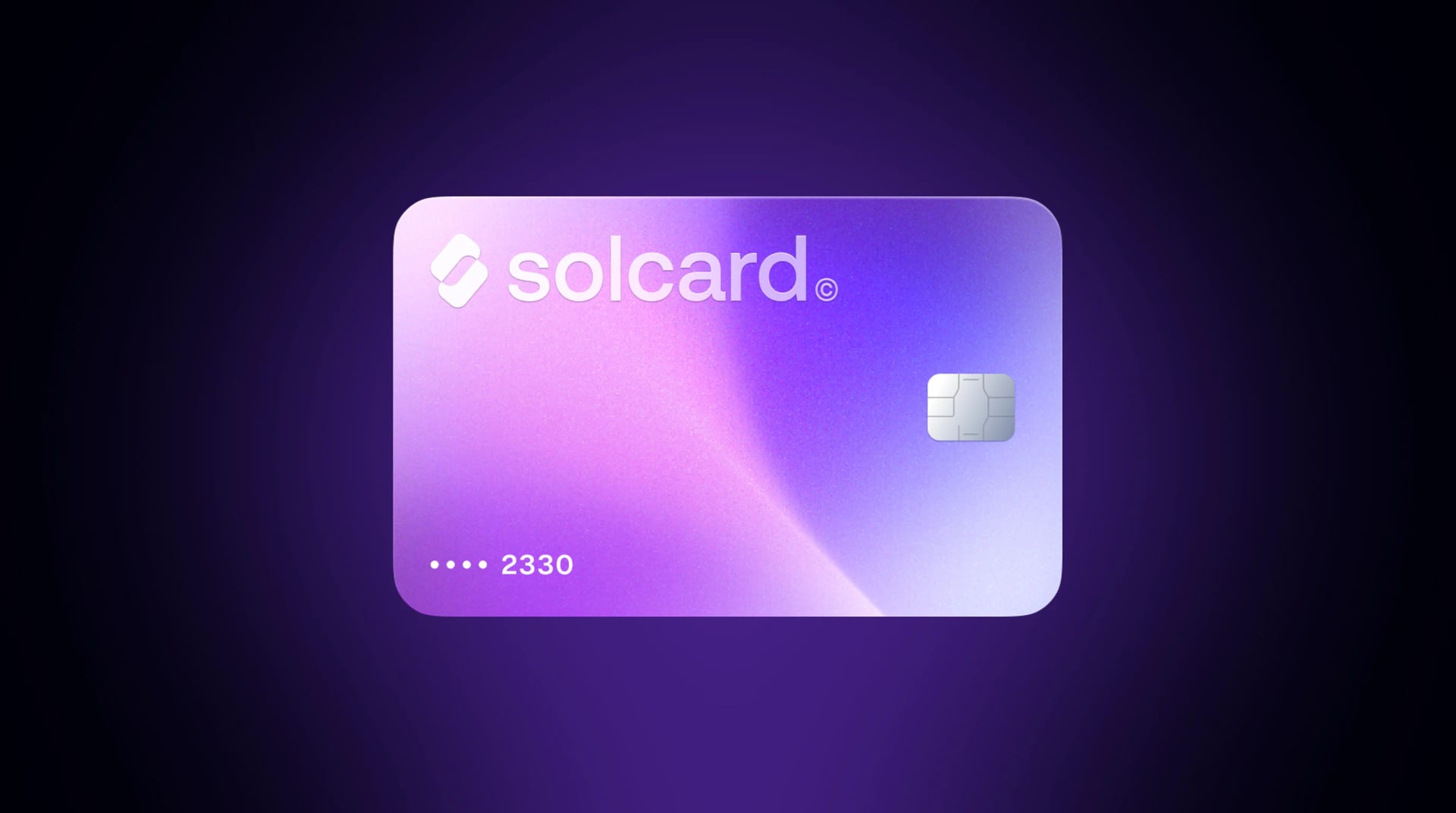
SolCard accepts SOL, USDC, USDT, and SOLC across nine networks (Solana, Ethereum, Polygon, BSC, HyperEVM, Arbitrum, Optimism, Avalanche, and Base). The cards run on Visa and Mastercard rails and work in 200+ countries. They are not available in Hong Kong.
SolCard cards are accepted at Boosty, with roughly 9 in 10 authorizations approved on eligible card types. Boosty is a small slice of what our cardholders spend on, so treat that as a working signal rather than a guarantee: acceptance at any merchant ultimately depends on that merchant's own processor and rules.
Pros:
- Supports recurring billing, so tier renewals clear without manual intervention
- Funded from stablecoins, with no bank account or wire in the chain
- Works for tips and paid posts as well as subscriptions, and for other merchants once you have it
Cons:
- Top-up and per-transaction fees apply on the Virtual tier, and both tiers carry a one-time issuance fee
- Platinum is a physical card and requires identity verification
- A decline is still possible; no provider can promise a specific merchant will accept a card
| Feature | SolCard | Bybit Card | Cwallet Cozy Card | RedotPay | Moon |
|---|---|---|---|---|---|
| Network | Visa/Mastercard | Mastercard | Visa | Visa | Visa |
| Top-up fee | 0% (Platinum) / 5% (Virtual) | 0.9% conversion | 1.8% | See RedotPay's fees | 1%, $1.00 minimum |
| Per-transaction fee | None | Not published | Not published | Applies, per current terms | $1.00 minimum per transaction |
| Top-up assets | SOL, USDC, USDT, SOLC | USDT, USDC, BTC, ETH | USDT, BTC, ETH | USDT | BTC, Lightning, USDT, USDC |
| Card issuance | $10 (Virtual and Platinum alike) | Check current terms | Check current terms | Not published | First card free, then $2.99 each |
| Recurring billing | Yes | Yes | Yes | Yes | Limited |
| Apple Pay / Google Pay | Yes (Platinum) | Yes | Limited | Yes | No |
| Monthly limit | None (Platinum) / $5,000 (Virtual) | Tier-based | Tier-based | Tier-based | Per-card |
Recurring cost of a $10/month Boosty tier (issuance excluded, since it is a one-time charge and several providers levy one):
- SolCard Platinum: $10.00/mo (0% top-up fee, plus 0-1.5% FX if the charge settles outside USD)
- Bybit Card: $10.09/mo (0.9% conversion)
- RedotPay: not quoted -- see RedotPay's fee page for current figures
- Cwallet Cozy: $10.18/mo (1.8% top-up)
- SolCard Virtual: $10.50/mo ($0.50 top-up fee, plus 1-2% FX)
- Moon: $11.00/mo (1% fee with a $1.00 minimum; the floor exceeds 1% of $10)
Bybit and Cwallet do not publish a flat per-transaction fee for card purchases, so their figures above reflect the top-up or conversion fee only and may run higher in practice.
Be straight about the trade-off between the two SolCard tiers, because on a small recurring charge the Virtual tier is one of the most expensive lines in that list. Both tiers carry the same one-time $10 issuance fee, so that charge is not a reason to pick one over the other. What separates them is the recurring cost and the form factor. Virtual charges a 5% top-up fee, which is 25 cents a month on a $5 tier, and it caps spending at $5,000 a month. Platinum charges nothing on top-ups, has no monthly limit, and works with Apple Pay and Google Pay, but it is a physical card that has to be issued and shipped to you, and it requires identity verification.
The $10 issuance is worth weighing against Method 2 below, where you pay no issuance at all. On a $5 tier, Platinum costs $10 up front plus $5.00 a month; a reseller at the top of the usual 10-25% markup costs $6.25 a month with nothing up front, so the card pulls ahead around month eight. At the bottom of that markup range it takes roughly 20 months. Virtual does not clear the bar as easily. At $5.25 a month it takes about 10 months to overtake a 25% reseller, and roughly 40 months to overtake a 10% markup at $5.50 a month. If a single low-tier subscription is genuinely the only thing the card will ever pay for, Virtual is not the tier to buy it for.
A market of resellers sells Boosty subscription payments and top-ups, taking crypto or local payment methods on their side and paying the creator on yours. Marketplaces like Plati and GGSel list this kind of service.
- Find a seller offering Boosty subscription payment for the tier you want
- Send them the creator link and the account email
- Pay in crypto or whatever method the marketplace supports
- They complete the checkout and the tier appears on your account
Pros:
- No card of your own required
- Sidesteps the 3D Secure and BIN problems entirely
- Works for one-off tips and paid posts
Cons:
- Markups are typically 10-25% over the tier price
- No recurring billing; you repeat the transaction every month
- You are handing account details to an intermediary you cannot vet, with no recourse if the payment never lands
- Nothing carries over to any other merchant
Workable as a last resort if card methods keep failing, but the monthly friction and the trust requirement make it a poor default. On a $10 tier, a 20% markup costs $24 a year more than a 0% top-up card.
The traditional route: sell USDC, USDT, or SOL on an exchange, withdraw fiat to your bank account (typically 1-5 business days), then pay Boosty with that bank's card.
Pros: it uses a card your bank already stands behind, and recurring billing is native.
Cons: it is slow, it costs exchange plus withdrawal fees, it creates a disposal event for tax purposes, and it does nothing for the people who cannot get an internationally usable bank card in the first place. If your bank could pay Boosty today, you would not be reading this.
For a broader look at the options, see our guide on how to pay with crypto and our roundup of the best crypto debit cards.
Issue the card, then load it with USDC or USDT. Stablecoins keep the top-up amount predictable; topping up with SOL converts at the market rate at deposit time. Load the tier price plus a buffer -- a $10 tier should have at least $15 available, since Boosty's processor may place an authorization hold.
Pick the tier on the creator's page and open checkout. Two settings decide whether this works:
- Select the global card option, not the Russian-card flow
- Move the currency toggle off RUB, to USD or EUR
Enter the number, expiry, and CVV, then approve the 3D Secure challenge through your provider's confirmation method. Do not close the tab while it is pending.
Check your provider's transaction list to confirm the authorization posted. Tiers rebill on the same day each month and a failed rebill drops your access, so keep roughly two months of tier price standing on the card.
| Symptom | Cause | Fix |
|---|---|---|
| Generic error before 3DS | Checkout still set to RUB | Switch the currency off rubles, to USD or EUR |
| Immediate rejection | Russian-card flow selected with a global card | Back out, pick the global card lane |
| 3DS screen times out | Card does not support 3D Secure, or the challenge expired | Use a 3DS-capable card, approve promptly |
| "Insufficient funds" on the exact amount | Authorization hold exceeds the balance | Keep a buffer above the tier price |
| Declines after several rapid tries | Repeated attempts read as card testing | Wait a few hours between attempts |
| Same card fails every time | The issuer blocks this merchant descriptor | Use a different card; no fix on your side |
That last row is the one people waste the most time on. If an issuer has decided not to authorize the merchant, retrying changes nothing, and this is exactly where a card built for cross-border online spending beats a local bank card. The same card and habits carry over: our guides on paying creator platforms with crypto and spending crypto without a bank account cover the mechanics elsewhere.
Supporting one creator at a low tier: run the crossover math above before you commit. The Virtual card works, but on a $5 tier its 5% top-up plus the $10 issuance leaves it about 40 months behind a cheap 10% reseller, so if Boosty is the only thing the card will ever pay for, an intermediary can stay cheaper for years. Platinum is the tier that actually overtakes a reseller, and it does so around month eight against a 25% markup.
Supporting several creators, or spending elsewhere too: the physical Platinum card. No top-up fee and no monthly limit make the up-front issuance and the verification step easy to justify, and Apple Pay and Google Pay make the card useful well beyond Boosty.
No access to an internationally usable bank card: a crypto-funded card is the practical route, and it is why most Boosty supporters end up here. Check availability for your country before you sign up.
Paying a Boosty subscription with a crypto card is, in most jurisdictions, a disposal of a digital asset. The card provider converts crypto to fiat at the point of sale, and that conversion is generally the taxable moment, not the subscription itself. Rules differ by country, and this is not tax advice.
Stablecoins keep the realized gain effectively at zero while the peg holds, which is why USDC and USDT are the cleanest funding assets for recurring subscriptions. With SOL, the gain or loss between acquisition and spend is what matters, and small monthly charges create a lot of line items to reconcile.
For the full treatment, see our guide on spending crypto without tax headaches.
No. Boosty does not accept cryptocurrency for subscriptions, tips, or paid posts. Checkout takes bank cards, split into a Russian-card lane paying in rubles and a global-card lane paying in a non-ruble currency, US dollars or euros. To use crypto, you need an intermediary such as a crypto-funded Visa or Mastercard.
Not directly to Boosty. You can load USDC or USDT onto a crypto debit card and pay Boosty with that card. SolCard accepts USDC and USDT across nine networks including Solana, Ethereum, Base, Polygon, and Arbitrum, alongside SOL and SOLC.
The most common causes are leaving the checkout currency set to rubles while paying with a non-Russian card, picking the wrong card lane, a 3D Secure challenge that did not complete, an insufficient balance for the authorization hold, or an issuer that blocks the merchant outright. Fix the currency and 3DS issues first, then try a different card.
No. Boosty was disconnected from PayPal, which removed the wallet route many international supporters relied on. Bank cards are now the primary path at checkout.
On a recurring basis, a $10 tier costs $10.00 a month on SolCard Platinum, plus 0-1.5% FX if the charge settles outside USD, because there is no top-up fee. On the Virtual tier the same tier costs $10.50 a month: a 5% top-up fee, which is 50 cents. Both tiers also carry a one-time $10 card issuance fee, charged once when the card is created rather than every month. Third-party intermediaries typically add 10-25% to every payment.
Yes. Tips and paid single posts are one-time charges, easier to clear than subscriptions because there is no rebill to maintain. The same checkout rules apply: global card lane, and a non-ruble currency.
SolCard cards run on Visa and Mastercard rails and are usable in 200+ countries. They are not available in Hong Kong. Whether any specific merchant accepts a given card is decided by that merchant's processor, so acceptance is never guaranteed.