How to Pay for Perplexity Pro with Crypto: Pro, Max, and API (2026)

New: a card built for Perplexity
Virtual for AI & Ad Spend is a virtual card made for AI tools, cloud and ad platforms, and it is fully compatible with Perplexity. Top it up with USDT, USDC, USDG, EURC, ETH, BNB, POL, AVAX, HYPE, wBTC, wETH or SOL: $10 for the card, 5% per top-up. Get Virtual for AI & Ad Spend.
Perplexity does not accept cryptocurrency. Not for Pro, not for Max, not for Enterprise seats, and not for Sonar API credits. Billing runs through Stripe, which takes Visa, Mastercard, and American Express cards, Cash App, Apple Pay, Google Pay, and ACH transfer for enterprise accounts. There is no on-chain checkout option and no BTC address at the bottom of the invoice.
The workaround is straightforward: fund a card with crypto and let Perplexity's checkout treat it as an ordinary Visa or Mastercard. You cannot buy Pro with USDC in one click, but you can load USDC onto a card and pay for any Perplexity plan with it, renewals included.
This guide covers the three methods that work in 2026, what each costs on a real $20 subscription, and how to get past the declines that stop most crypto-funded cards at Perplexity's checkout.
Know what you are funding before picking a method. Perplexity's current lineup:
| Plan | Price | What you get |
|---|---|---|
| Free | $0/mo | Standard search, a handful of Pro searches per day |
| Pro | $20/mo ($200/yr, about $16.67/mo) | Unlimited Pro Search, frontier models, Deep Research, file uploads, Comet Plus |
| Max | $200/mo ($2,000/yr) | Everything in Pro, unlimited Labs, Perplexity Computer credits, early feature access |
| Education Pro | $10/mo | Pro for verified students and educators, monthly billing only |
| Enterprise Pro | $40/seat/mo ($400/seat/yr) | Team workspace, admin controls, internal knowledge search |
| Enterprise Max | $325/seat/mo ($3,250/seat/yr) | Highest limits, full agentic tooling for teams |
| Comet Plus | $5/mo | Standalone; included free with Pro and Max |
Pro at $20/month is the plan most crypto holders are trying to buy, and Max behaves identically at checkout -- it just needs a bigger balance to clear. Annual billing is cheaper per month but front-loads the charge, and a single $200 or $2,000 authorization is a much harder ask of a thinly funded card. Prices drift; confirm the figure at checkout before you load funds.
Perplexity does not run its own card processing. Stripe does, which means the decision on your payment is made by Stripe's risk engine and there is no merchant-side appeal -- support cannot reverse a decline. The first thing that engine reads is the BIN, the leading digits that identify the issuing bank and the funding type. Stripe surfaces whether a card is credit, debit, or prepaid, and merchants are free to treat those differently; a lot of low-cost virtual cards sit on ranges classified as prepaid, and cards from banks in sanctioned or high-risk jurisdictions are filtered at the BIN level before the balance is ever checked. Card quality decides more here than card price does.
The second factor is consistency. Stripe scores the distance between your IP country, your billing address, and the card's issuing country, and a wide gap raises the risk score on an otherwise healthy card. A VPN left running at checkout is the most common self-inflicted decline, followed closely by a billing address set to where the cardholder lives rather than where the card was issued.
The third is the shape of the charge. Pro is a subscription, not a one-off purchase, so the card has to still be chargeable next month -- a single-use number that clears the first payment and then expires will fail at renewal, and a renewal Perplexity cannot collect eventually ends Pro access and returns the account to Free. Retrying does not rescue any of this, because each failed attempt feeds the fraud score. Cycling through five cards in ten minutes is the surest way to make the sixth one fail too.
This is the method that fits a recurring subscription properly. A crypto debit card holds a balance you top up with crypto and converts to fiat at the point of purchase. Perplexity's checkout sees a normal Visa or Mastercard authorization.
- Open an account with a crypto card provider and get a card issued.
- Top up. SolCard accepts SOL, USDC, USDT, and SOLC across 9 networks -- Solana, Ethereum, Polygon, BSC, HyperEVM, Arbitrum, Optimism, Avalanche, and Base.
- At perplexity.ai, open Settings, go to the Account tab, and choose your plan under Subscription.
- Enter the card number, expiration, CVV, and a billing address matching the card's issuing country.
- Stripe authorizes the charge, and the card stays live for next month's renewal.
A reloadable card is the only option here that handles recurring billing the way Perplexity expects. Once it is on file, renewals need no monthly errand, the same card covers every tier from Education Pro up to Enterprise seats, and because the balance reloads, one card carries your whole subscription stack instead of one card per service. A wallet-eligible tier also opens the Apple Pay and Google Pay path in Method 3.
The costs are a one-time issuance charge and, depending on the tier, a percentage fee when you load funds. Two things can still go wrong beyond fees. A weak prepaid BIN gets declined no matter how much money is sitting on it, and a card that runs dry before the billing date fails the renewal. Both are manageable, neither is automatic.
Crypto card fees land in two places: when you load the card, and when it converts at purchase. Both matter over a year of charges.
| Card | Rails | Where the fee lands | Effective cost of a $20 charge |
|---|---|---|---|
| SolCard Platinum | Visa/Mastercard | 0% top-up, 0-1.5% FX | $20.00 |
| SolCard Virtual | Visa/Mastercard | 5% top-up, 1-2% FX | $21.00 |
| Bybit Card | Mastercard | 0.90% crypto conversion, 0.50% FX | ~$20.18 |
| RedotPay | Visa | Free crypto top-up, 1% conversion at purchase, 1.2% FX | ~$20.20 |
| Pay with Moon | Visa | Premium over face value; often single-use numbers | Varies, renewals manual |
Perplexity bills in USD, so an FX markup only applies if your card settles in another currency. On a USD subscription the top-up fee decides your annual cost: 5% on a $240/year Pro plan is about $12 a year, while a zero-top-up-fee tier adds nothing recurring on top of the sticker price.
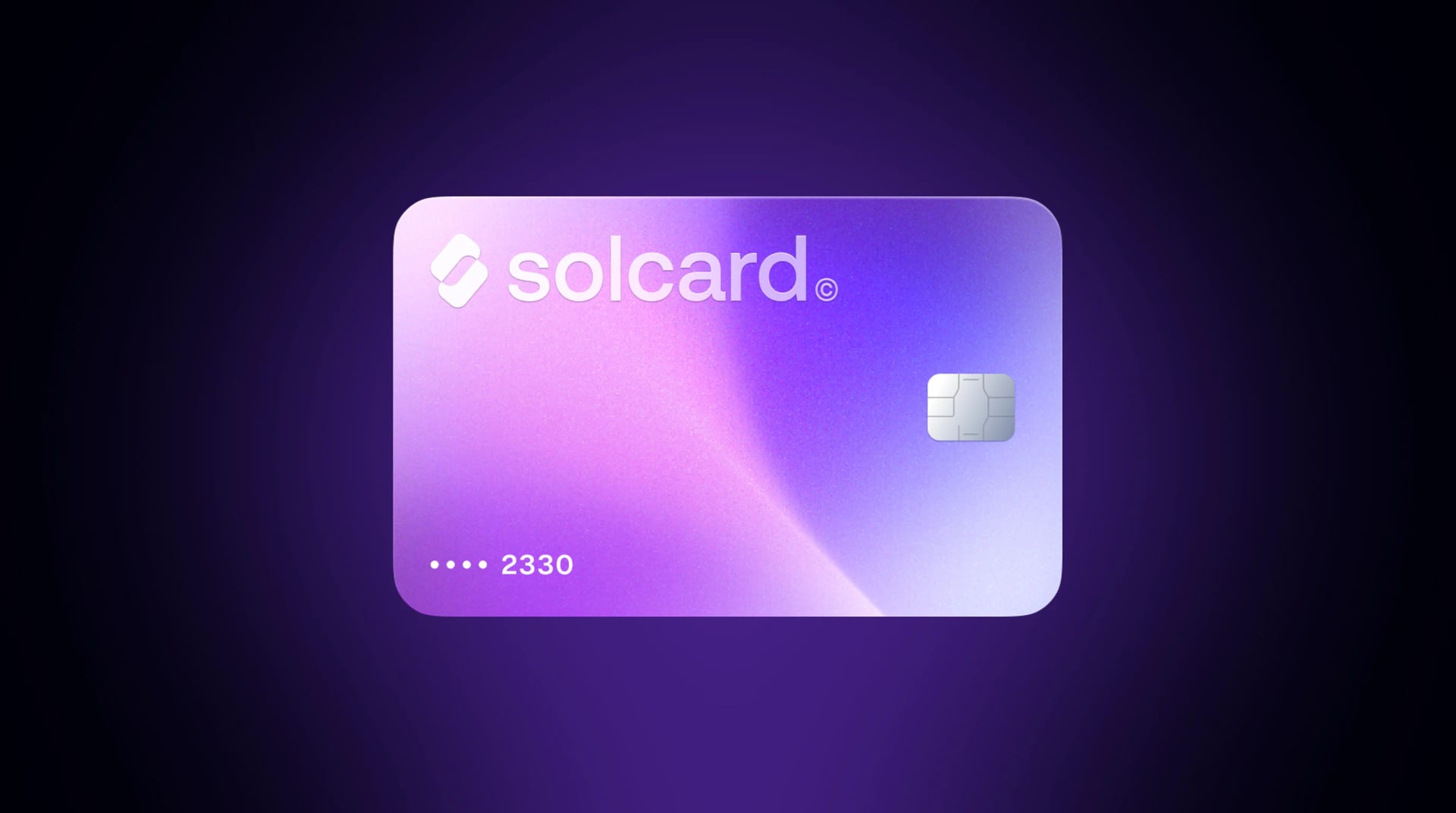
SolCard's tiers split cleanly, and the one-time $10 issuance fee is not the dividing line -- Virtual and Platinum both carry it. What separates them is the recurring cost and the form factor. Virtual charges 5% on top-ups, runs 1-2% FX, and caps spending at $5,000 a month. Platinum is a physical card with no monthly limit, no top-up fee, 0-1.5% FX, and Apple Pay and Google Pay support; it requires identity verification. On acceptance specifically, SolCard has recorded a 100% acceptance rate on Perplexity. For the wider field, see our best crypto debit cards comparison.
To try Pro for a month without setting up a card account, marketplaces like Bitrefill and CoinsBee sell prepaid Visa and Mastercard gift cards you pay for in crypto.
- Pick a prepaid Visa in a denomination that covers the plan plus a buffer -- $25 for Pro.
- Pay the marketplace in crypto.
- Receive the card number, expiration, and CVV by email.
- Enter them at Perplexity checkout.
- Nothing to maintain -- no account, no standing balance, no renewal date to watch.
- Broad token support, because the marketplace handles the conversion, not you.
- A markup over face value, so a $20 plan lands well above $20.
- A prepaid BIN, which is the funding type Stripe's risk engine treats most cautiously.
- One load only, so month two is a manual repurchase at the same markup.
- No practical refund if the card is declined. The crypto is already spent.
This is a fair trade for a one-month trial, or for paying with a token no card provider supports. For an ongoing subscription it is the most expensive and most fragile option on this page.
Perplexity's web checkout offers Apple Pay and Google Pay next to the card form. Both are Stripe payment methods rather than a separate billing system: the wallet passes Stripe a tokenized card number and a device-level authentication instead of a raw card number typed into a form. Same card, different presentation.
- Add a wallet-compatible crypto card to Apple Wallet or Google Wallet. On SolCard that is the Platinum tier.
- Sign in at perplexity.ai in Safari for Apple Pay, or Chrome for Google Pay, on a device where the wallet is already set up.
- Open Settings, go to the Account tab, and choose your plan under Subscription.
- Select the Apple Pay or Google Pay button instead of filling in the card fields.
- Approve with Face ID, Touch ID, or your device unlock.
The raw card number never reaches a checkout form, and the device authentication covers the cardholder-verification step that would otherwise arrive as a separate 3D Secure challenge -- the step basic virtual numbers most often cannot complete. The trade-off is eligibility. It needs a card tier that provisions into Apple Wallet or Google Wallet, which many virtual numbers do not, plus a browser and device that support the wallet. Our guide to using Apple Pay with a crypto card covers the setup.
Buying Pro from inside the Perplexity iOS or Android app does not touch Perplexity's Stripe checkout. That purchase is an App Store or Google Play in-app purchase, charged to the payment method on file with your Apple Account or Google Play account. A card sitting in Apple Wallet is not that payment method -- to pay for an in-app subscription with a crypto card, you have to add the card under your Apple Account payment settings or Google Play's payment methods.
Two consequences follow. App-store pricing does not always match web pricing, so check the figure before confirming. And cancellations and refunds move to Apple or Google rather than Perplexity, which is a slower path if something goes wrong. Subscribing on the web keeps both the price and the cancellation in one place.
Choose a tier at SolCard: Virtual (5% top-up fee, 1-2% FX, $5,000 monthly limit) or Platinum (physical, no top-up fee, 0-1.5% FX, no monthly limit, Apple Pay and Google Pay, identity verification required). Both tiers carry the same one-time $10 issuance fee. Cards run on Visa and Mastercard rails in 200+ countries, and are not available in Hong Kong.
Send USDC or USDT on whichever of the 9 supported networks is cheapest for you. Load at least $25 for Pro, or $215 for Max. Stripe sometimes places a small authorization hold on top of the charge, and a balance of exactly $20.00 is the most common avoidable decline. Stablecoins keep the math predictable; topping up with SOL works too, at the market price at the time of the top-up.
- Sign in at perplexity.ai
- Open your profile menu and select Settings
- Go to the Account tab and find the Subscription section
- Click Upgrade, or Manage Subscription if you are already on a paid plan
- Enter the card number, expiration, and CVV
- Set the billing address to the country your card was issued in
- Turn off any VPN before you submit
- Confirm the subscription
Check your card's transaction history to confirm the charge posted rather than only authorized, then keep the card funded above the renewal amount. Perplexity bills on the same date each month, and a renewal it cannot collect ends Pro access, so a standing balance of $50-$100 removes the problem entirely.
Almost every decline here is a fraud-heuristic problem, not a money problem. Work through these in order:
- Turn the VPN off and try again. An IP in one country and a card registered in another is the mismatch Stripe scores hardest; reconnect once the payment clears.
- Set the billing address to the card's issuing country, not to where you live.
- Add a buffer. Authorization holds can push an exact-amount balance under, so keep $5-$10 above the charge.
- Confirm your card can complete 3D Secure. Stripe can require it, and basic virtual numbers often cannot answer the challenge.
- Stop retrying. Two failures is the point to change something, not to try the same thing again.
- Use the Apple Pay or Google Pay button at web checkout instead of the card form. The wallet sends a tokenized number and a device authentication, which removes the 3D Secure step that trips many virtual cards.
Developers on Perplexity's Sonar API are not subscribing at all. API groups run on prepaid credits: you attach a card, buy a credit balance up front, and usage draws it down. Perplexity's API documentation notes that adding a payment method does not charge the card, it stores it for later, and that admins can switch on auto reload so keys are not blocked when the balance hits zero.
That makes credits the easier crypto payment. A credit purchase is a one-time charge, so the recurring-billing constraint disappears -- a single-use number or a crypto-bought prepaid card works here even though it fails on a Pro subscription. The exception is auto reload, which quietly puts you back in subscription territory, since the stored card has to still work and still hold funds weeks later. If you are paying from a card with a single load, buy credits manually in larger blocks and leave auto reload off.
For most people the answer is a reloadable crypto debit card. It is the only option that handles renewals without monthly effort, works on every tier from Education Pro up to Enterprise seats, and on a zero-top-up-fee tier costs exactly the sticker price. That gets more decisive the more you subscribe to. Pro plus two comparable AI tools is $60 or more a month running through one card, and at that volume a percentage top-up fee is a standing tax while a 0% tier is not.
The exceptions are narrow. To try Pro for a single month with nothing to cancel afterward, a crypto-bought prepaid gift card does the job at a worse price and a higher chance of a decline. If a funded, valid card keeps bouncing at web checkout, the Apple Pay or Google Pay button is the next thing to try before concluding the card itself is the problem. And if discretion is what you care about, a crypto-funded card keeps subscription spending on a card you control rather than on your primary bank statement. Your business is your business.
One card covers the rest of the stack -- see our guide to the best AI subscriptions to pay with crypto.
In most jurisdictions, spending cryptocurrency is a disposal of a digital asset and therefore a reportable event, even through a card at a checkout page. The IRS treats digital assets this way in the United States, and many other authorities take a similar position.
Generally reportable: topping up with SOL or another volatile asset, since the conversion realizes a gain or loss against your cost basis; and selling crypto on an exchange before funding a card.
Usually immaterial: topping up with USDC or USDT, where the 1:1 peg makes the realized gain effectively zero; and spending fiat already sitting on a card from an earlier conversion.
Stablecoins are the cleanest way to run a recurring subscription for exactly this reason. Our guide on spending crypto without tax headaches goes deeper. None of this is tax advice -- rules vary by country, so confirm your position with a professional.
No. Perplexity accepts Visa, Mastercard, and American Express cards, Cash App, Apple Pay, Google Pay, and ACH for enterprise accounts, all processed through Stripe. There is no cryptocurrency option at checkout. You need a card funded by crypto, which Perplexity reads as an ordinary card transaction.
A card with no top-up fee. On SolCard's Platinum tier, Perplexity Pro costs $20.00 a month with no percentage markup. A 5% top-up tier costs $21.00 a month, and crypto-bought prepaid gift cards are the most expensive route because of the markup over face value.
SolCard accepts SOL, USDC, USDT, and SOLC across 9 networks: Solana, Ethereum, Polygon, BSC, HyperEVM, Arbitrum, Optimism, Avalanche, and Base. USDC and USDT are the practical choice for a fixed monthly subscription, since the amount you load is the amount you can spend.
Usually a VPN creating an IP-to-billing-country mismatch, a balance too tight for an authorization hold, a prepaid BIN that Stripe filters, or a card that cannot complete 3D Secure. Repeated attempts also raise your risk score. Fix the mismatch, add a buffer, wait a few hours, then try the Apple Pay or Google Pay button at web checkout, which replaces the typed card number with a tokenized one and a device authentication.
Yes. Max bills through the same Stripe checkout as Pro, so only the amount changes. Load at least $215 to cover the $200 charge plus any hold. The annual option at $2,000 needs the full amount available in a single authorization.
Yes, as long as the card holds a balance covering the charge on the billing date. A reloadable card supports recurring billing the same way a bank card does. Single-use numbers and prepaid gift cards do not, which is why they fail in month two.
Enterprise Pro at $40 per seat and Enterprise Max at $325 per seat bill through the same card rails, so a funded card works. Seat count rarely breaches a card limit: a five-seat Enterprise Pro workspace is $200 a month, comfortably inside the Virtual tier's $5,000 monthly cap. That cap only binds at scale -- around 125 Enterprise Pro seats, or 16 Enterprise Max seats -- at which point Platinum's no-monthly-limit tier is the one to use.
SolCard runs on Visa and Mastercard rails in 200+ countries. It is not available in Hong Kong. Because Perplexity's checkout scores IP-to-card-country mismatches, pay from the country you registered the card in where possible.