Top Up a Crypto Card with ETH, BNB, POL, AVAX or HYPE
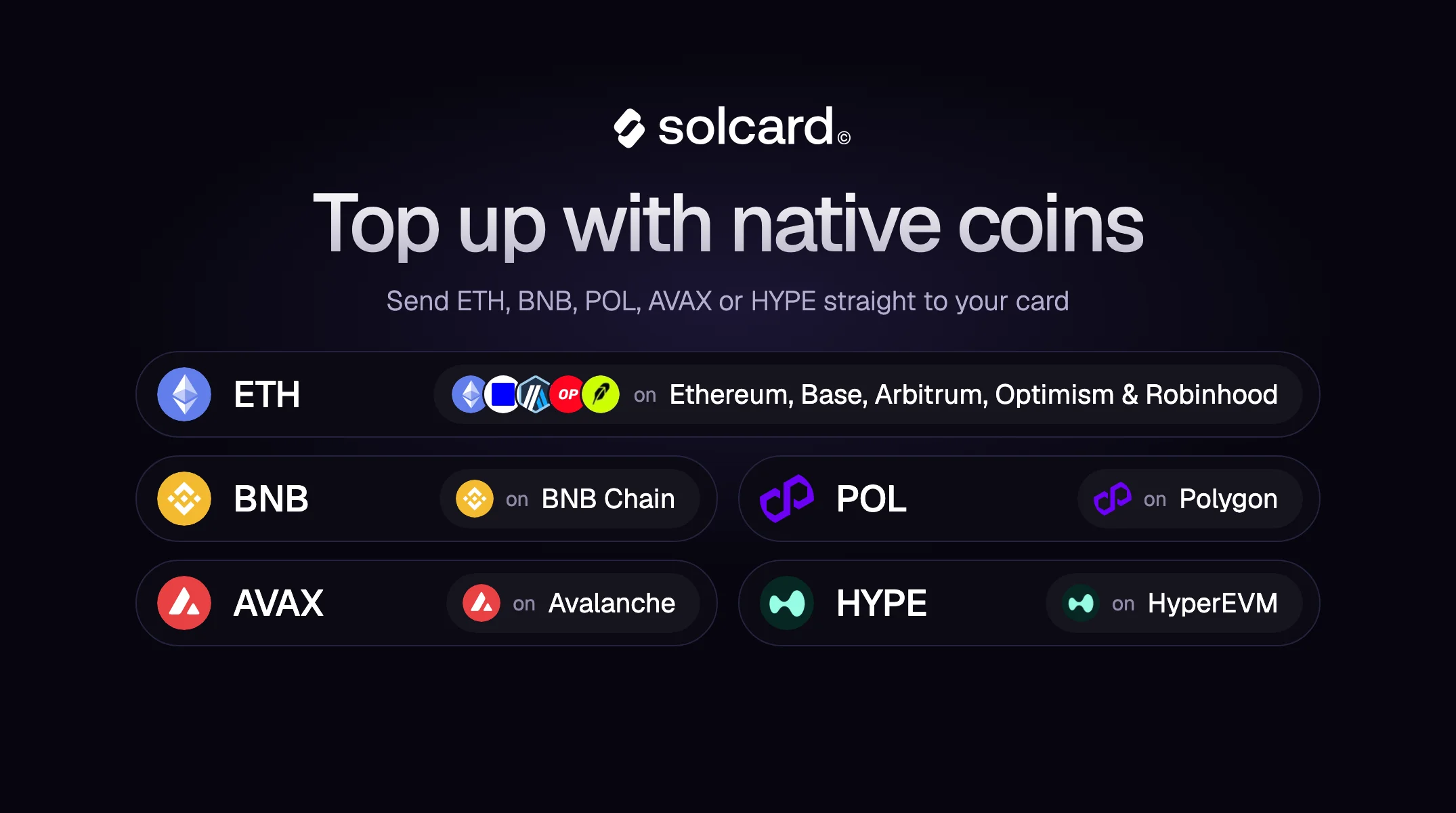
You can now top up your SolCard with the native coin of nine networks: ETH on Ethereum, Base, Arbitrum, Optimism and Robinhood Chain, BNB on BNB Chain, POL on Polygon, AVAX on Avalanche, and HYPE on HyperEVM. Send the coin you already hold, and it's converted to US dollars and loaded onto your Visa or Mastercard card automatically. You don't need to sell it for a stablecoin first. SOL on Solana already worked this way, and the new coins join the assets SolCard already accepts: USDC and USDT on Solana and the major EVM networks, USDT on Tron, USDG and EURC, and wBTC and wETH on Solana.
| Coin | Network |
|---|---|
| ETH | Ethereum, Base, Arbitrum, Optimism, Robinhood Chain |
| BNB | BNB Chain (BSC) |
| POL | Polygon |
| AVAX | Avalanche C-Chain |
| HYPE | HyperEVM |
| SOL | Solana (already supported) |
Each coin is accepted only on the network listed next to it. ETH on Base, for example, has to go to the address you get after choosing Base in the dashboard.
- Open your card in the SolCard dashboard and choose Deposit.
- Pick the network. The dashboard now selects that network's native coin for you (ETH on Base, BNB on BSC, and so on), and you can switch to a stablecoin if you prefer.
- Check the minimum shown for that coin, then send at least that amount to the deposit address from a wallet on the same network.
- Once the deposit is confirmed and final on-chain, it's converted to US dollars and loaded onto your card.
Minimums differ from coin to coin and can change, so always go by the one shown in the dashboard rather than a figure you saw elsewhere. Native-coin top-ups are available in the web dashboard at app.solcard.cc.
SolCard cards are denominated in US dollars, so your coin is converted when you top up. The USD amount is set only once your deposit is confirmed and final on the blockchain, using the coin's price at that moment, minus the top-up fee and conversion spread shown in the app. Any dollar figure you see before that, including while the deposit shows as pending, is an estimate. Because coin prices move, the amount credited can be a little higher or lower than that estimate. The details are in our Terms of Use, under "Top-ups and withdrawals".
After that, your card balance is in dollars and no longer moves with the price of the coin. Converting crypto is a taxable disposal in many countries, the same as selling it on an exchange. Our guide on whether you can spend Bitcoin like cash covers the tradeoffs.
Until now, spending ETH or BNB with a card meant selling it for a stablecoin first, then sending that stablecoin to your card. Each step adds a fee, a wait, and one more chance to pick the wrong network. Sending the native coin directly skips those steps. It goes from your wallet to your card in one transfer.
You also don't need a second token to pay the network fee. When you send a stablecoin on an EVM network, your wallet has to hold some of the native coin for gas anyway. When you send the native coin itself, the fee comes out of the same balance. Our transaction fee comparison shows what that usually costs on each chain.
Yes. Send ETH on Ethereum, Base, Arbitrum, Optimism or Robinhood Chain to your SolCard deposit address for that network. It's converted to US dollars and loaded onto your Visa or Mastercard card, which works anywhere cards are accepted.
Yes. SolCard accepts BNB on BNB Chain, POL on Polygon, AVAX on Avalanche and HYPE on HyperEVM. Pick the network in the dashboard, and its native coin is selected by default.
It depends on the coin and can change. The dashboard shows the current minimum for the coin and network you pick, so check it before you send.
The USD amount is set when your deposit is confirmed and final on-chain, at the coin's price at that moment, minus the top-up fee and conversion spread shown in the app. Any amount shown earlier is an estimate.
The deposit may not arrive. Always check that the network in your wallet matches the one you picked in the dashboard. ETH sent on Ethereum to the address you got for Base is a different transfer from ETH sent on Base.
Don't have a card yet? Get your SolCard and fund it with the ETH, BNB, POL, AVAX or HYPE you already hold.