How to Pay for OnlyFans with Crypto: Private Methods That Work in 2026

Platinum works best for OnlyFans
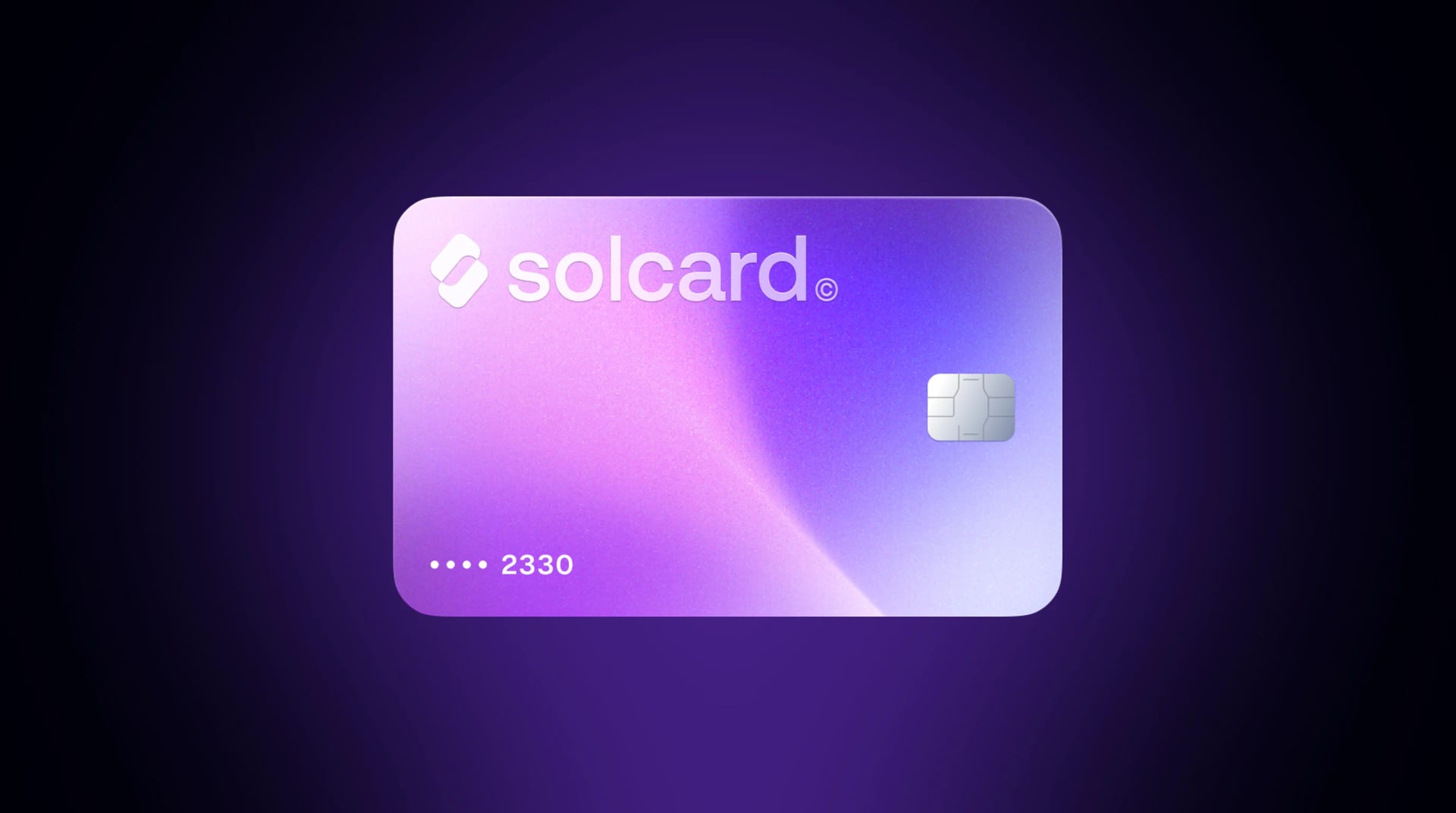
In our recent payment data, SolCard Platinum payments to OnlyFans go through reliably, while the Virtual card is often declined by the issuing bank for this kind of merchant. If you are getting a card mainly for OnlyFans, choose Platinum.
OnlyFans does not accept cryptocurrency. Not directly, not through any payment option on their checkout page. The platform only processes Visa, Mastercard, Discover, and Maestro cards, all routed through traditional payment processors that stamp "ONLYFANS.COM" or "FENIX INTERNATIONAL" on your bank statement.
That is a problem if you want to keep your subscriptions private. Shared bank accounts, nosy roommates, corporate card audits: plenty of legitimate reasons exist for not wanting an OnlyFans charge visible in your transaction history. Cryptocurrency solves this by putting a layer of separation between your bank account and the final payment.
This guide covers every working method to pay for OnlyFans with crypto in 2026, what each one costs, the privacy trade-offs involved, and how to avoid the card declines that frustrate many users of this platform. For the plain list of what the checkout takes, including what the Wallet is actually for, see which payment methods OnlyFans accepts. For a shorter summary of which OnlyFans charges a crypto card covers — subscriptions, tips, paid unlocks, and Wallet Credits — see our OnlyFans crypto payments page.
Before diving into crypto workarounds, it helps to understand the problem you are solving.
When you pay OnlyFans with a regular credit or debit card, the charge typically appears as one of these descriptors:
- ONLYFANS.COM, the most common format
- FENIX INTERNATIONAL, the parent company (Fenix International Limited)
- OF PAYMENT or OF SUBSCRIPTION, used by some banks
- OF DEBIT HOLD, a temporary authorization hold
The exact wording depends on your bank, but the charge is never disguised. OnlyFans does not use a generic billing name. Even free subscriptions generate a $0.10 verification charge that appears on your statement.
Anyone with access to your bank statements sees these entries clearly labeled: a spouse, a parent on a joint account, an employer reviewing corporate card usage, a mortgage lender going through your finances.
This is not a flaw in OnlyFans. Banks are legally required to display merchant names as registered in the financial system. The only way to avoid it is to pay with a card that is not connected to your primary bank account.
This is the most practical and reliable method. A crypto debit card converts your cryptocurrency into a Visa or Mastercard that works exactly like a traditional card. OnlyFans sees a normal card payment and has no idea crypto was involved.
- Sign up with a crypto card provider and receive a virtual card number
- Top up the card with USDT, USDC, BTC, or other supported cryptocurrencies
- Enter the card details on OnlyFans as your payment method
- OnlyFans charges the card like any other Visa or Mastercard transaction
The key privacy benefit: OnlyFans charges appear on your virtual card statement, not on your bank statement. Your bank only sees the initial crypto-to-card top-up, which shows as a generic transfer to the card provider, with no mention of OnlyFans anywhere.
This is where many users get stuck. OnlyFans requires 3D Secure authentication on all cards, including prepaid and virtual cards. 3D Secure (also called "Verified by Visa" or "Mastercard SecureCode") is a fraud-prevention layer that sends a verification code to your phone or email when making an online purchase.
If your crypto card does not support 3D Secure, OnlyFans will decline it. That eliminates many basic prepaid cards and some no-KYC virtual card providers. Before loading funds onto any card, confirm it supports 3D Secure. Otherwise you will lose time and potentially pay non-refundable top-up fees on a card you cannot use.
This is the error message the 3D Secure rule produces, and it is worth recognising because it names the problem precisely. "Authentication" here is the 3D Secure step, not your OnlyFans login and not your card details. The charge was refused because the step-up check did not complete.
There are two versions of that, and they need different fixes:
- The challenge appeared and you did not finish it. The code arrived late, the window timed out, the pop-up was blocked, or you closed the tab. Retry the payment and complete the prompt when it appears. Allow pop-ups for OnlyFans first, since a blocked 3D Secure window looks identical to a failed one.
- The challenge never appeared at all. Your card cannot present one. No amount of retrying, adding funds, or changing browser fixes this, because the card is not enrolled in 3D Secure in the first place. The only fix is a different card.
The second case is the common one with retail prepaid cards and with virtual card providers that skipped 3D Secure support. Before you top up any card for OnlyFans, confirm two things: that the issuer performs a 3D Secure challenge, and that you can actually receive the code it sends. A card that cannot be challenged cannot be used here, whatever its balance.
Not every crypto card works reliably with OnlyFans. Here is how the major options compare for this specific use case:
| Feature | SolCard | Moon | Rewarble (via Coinsbee) | Getsby | Privacy.com |
|---|---|---|---|---|---|
| Network | Mastercard | Visa | Visa | Mastercard | Visa |
| Top-up fee | 0% (Platinum) / 5% (Virtual) | 1% (min $1.00) | Varies by denomination | Included in price | Free |
| Per-transaction fee | None | $1.00 minimum | None | None | None |
| KYC required | Optional (Virtual: no KYC) | Yes (Verified status for OF) | No | No | Yes (US only) |
| Crypto funding | USDC, USDT, SOL, SOLC | BTC, Lightning, USDT, USDC | BTC, ETH, 200+ cryptos | Fiat only | Fiat only |
| 3D Secure | Check with provider | Yes | Yes | Yes | Yes |
| Reloadable | Yes | Yes (X Card) | Yes | No (disposable) | Yes |
| Global availability | 200+ countries | 130+ countries | Global | EU-focused | US only |
Real cost to pay a $10/month OnlyFans subscription:
- SolCard Platinum (KYC verified): $10.00 = $10.00/month
- SolCard Virtual (no KYC): $10.00 + 5% top-up = $10.50/month
- Moon X Card: $10.00 + 1% fee (min $1.00) = $11.00/month
- Rewarble via Coinsbee: ~$10.00 + crypto conversion spread + platform markup = ~$11-13/month
If Moon is the alternative you are weighing, we keep a separate page on what Moon publishes about its own fees and limits, quoted from its site with the date we read each figure.
On paper SolCard's Platinum tier has the lowest ongoing cost because there are no top-up or transaction fees. But adult-content purchases depend on the card type you hold: issuers classify OnlyFans under an adult merchant category that some SolCard card types permit and others block outright, and a card without that permission returns an "unauthorized merchant category" decline that adding funds cannot fix. The Virtual tier is currently the reliable SolCard choice for OnlyFans; if a Platinum card declines, contact support and ask whether your card type supports adult merchants before retrying. The Virtual tier requires no identity verification but carries a 5% top-up fee, which adds $0.50 per month on a $10 subscription. For a broader breakdown of crypto cards beyond this use case, see our best crypto debit cards comparison.
- Choose a provider. Select a crypto card that supports 3D Secure. SolCard issues a virtual Mastercard in about 30 seconds with no KYC required for the basic tier. Moon requires identity verification and special "Verified" status for OnlyFans specifically.
- Get your card. Complete registration and receive your virtual card number, expiration date, and CVV. SolCard charges a one-time $10 issuance fee.
- Top up. Send USDC, USDT, or SOL to your card wallet. For a $10/month subscription, load at least $15 to cover the subscription plus fees and leave a buffer. OnlyFans may place a small authorization hold before processing the full charge.
- Add the card to OnlyFans. Go to your OnlyFans account settings, navigate to the payment section, and enter your virtual card details.
- Complete 3D Secure. When prompted, complete the verification step (usually a code sent to your email or phone).
- Maintain your balance. OnlyFans subscriptions auto-renew. Keep enough funds loaded to cover the next charge, or your subscription will lapse and your card may get flagged for failed payments.
Important: Some crypto card providers restrict adult content merchants — this includes some SolCard card types, and Moon requires you to contact their support and upgrade to "Verified" status before OnlyFans transactions will go through. Always check with your provider which card types support adult merchants before loading funds.
If you do not want a reusable card at all, you can buy OnlyFans-compatible gift cards with cryptocurrency. The most widely used option is Rewarble, available on platforms like Coinsbee, Bitrefill, and CoinGate.
- Visit a gift card marketplace that accepts crypto (Coinsbee, Bitrefill, CoinGate)
- Purchase an "OnlyFans by Rewarble" gift card in your desired denomination ($15, $25, $50, $100, $250)
- Pay with Bitcoin, Ethereum, USDT, or 200+ other cryptocurrencies
- Receive a digital gift card code via email
- Go to Rewarble's redemption page and enter the code
- Select "OnlyFans" as the destination, enter your details, and Rewarble generates a virtual prepaid Visa card
- Use that Visa card number on OnlyFans
The entire process takes about 5-10 minutes from crypto payment to having a working card number.
Pros:
- No KYC or account required on most gift card platforms
- Pay with almost any cryptocurrency (Coinsbee supports 200+ coins)
- Complete separation from your bank, since you can even buy the crypto with cash first
- Rewarble virtual Visa cards support 3D Secure, so they work with OnlyFans
Cons:
- Higher effective cost due to gift card markups and crypto conversion spreads
- Rewarble cards may be region-locked, so a code issued for one region may not work with accounts in another
- Not ideal for recurring subscriptions, since you need to manually buy a new gift card each billing cycle
- No refunds once the code is delivered
- Gift card platforms sometimes have stock issues for specific denominations
Gift card pricing varies, but expect a 5-15% premium over face value once you account for crypto conversion spreads and platform fees. A $25 OnlyFans Rewarble gift card might cost $27-29 in crypto. That is more than a reloadable virtual card, but you get maximum privacy in return: no account creation, no KYC, no reusable card linked to your identity.
If you regularly pay with crypto for online services, a reusable virtual card will save you money over time compared to buying individual gift cards.
This is not a crypto method, but it is worth mentioning because it solves the same privacy problem and some crypto holders use it as a complement.
You can buy a prepaid Visa or Mastercard gift card at a retail store (CVS, Walgreens, Walmart, gas stations) using cash. No bank account, no identity verification, no digital trail.
OnlyFans requires 3D Secure on all cards. Most non-reloadable prepaid gift cards from retail stores do not support 3D Secure, which means OnlyFans will decline them. This is the number-one reason people report failed payments when trying to use prepaid cards.
Reloadable prepaid cards from Visa or Mastercard (like Bluebird, Serve, or Green Dot) generally do support 3D Secure, but they require registration with your personal information (name, address, sometimes SSN), which defeats the privacy purpose.
Cash-loaded prepaid cards are unreliable for OnlyFans unless they are reloadable cards with 3D Secure, and those cards require personal information to activate. A crypto virtual card is more consistently effective.
Here is exactly what appears on your financial records depending on which method you use:
| Method | What your bank sees | What OnlyFans sees | Privacy level |
|---|---|---|---|
| Regular credit card | "ONLYFANS.COM" or "FENIX INTERNATIONAL" | Your card details | None |
| Crypto virtual card | Top-up to card provider (generic) | Virtual card number | High |
| Rewarble gift card (crypto) | Nothing (if crypto bought with cash/P2P) | Rewarble Visa number | Very high |
| Cash prepaid card | Nothing (cash purchase) | Prepaid card number | Very high (if 3D Secure works) |
| Privacy.com | "PRIVACY.COM" charge | Virtual card number | Medium (US only, requires bank link) |
The crypto virtual card method strikes the best balance of privacy, reliability, and cost for most users. Your bank statement shows a generic top-up transaction, something like "SOLCARD" or "MOON," with no reference to OnlyFans. The gift card method offers even more separation but costs more and does not support auto-renewal.
Understanding OnlyFans pricing helps you plan your crypto budget:
- Subscription prices are set by individual creators, typically ranging from $4.99 to $49.99 per month. The average is around $7-15/month.
- Tips can be sent to creators in any amount from $5 upward.
- Pay-per-view (PPV) messages are priced by the creator, often $3-50+ per message.
- Free subscriptions still require a card on file and trigger a $0.10 verification charge.
If you subscribe to one creator at $10/month, your total crypto spend with a SolCard Virtual card runs roughly $10.50/month ($10 subscription + $0.50 top-up fee). Over a year, that is about $126 versus $120 with a regular card, a $6 annual premium for privacy.
For heavier users subscribing to multiple creators, the Platinum tier (0% top-up fee) gets significantly cheaper. Five $10 subscriptions would cost $50.00/month on Platinum versus $52.50 on Virtual, though Platinum requires identity verification.
The most common causes:
- No 3D Secure. Your card does not support 3D Secure authentication. Solution: switch to a provider that explicitly supports it.
- Insufficient balance. OnlyFans may attempt a small pre-authorization ($0.10-$1.00) before the actual charge. Make sure your balance covers both. With a crypto card, keep at least $5 more than your subscription cost loaded.
- Wrong billing address. The address on your virtual card must match what you enter on OnlyFans. Some crypto cards let you set a billing address in your dashboard. Use the address registered with the card, not your home address.
- Card restricted by provider. Some crypto card issuers block adult content merchants. Check your provider's terms of service before loading funds.
- Regional restrictions. Some virtual cards are limited to specific countries. If your OnlyFans account is registered in a different country than your card, the transaction may fail.
OnlyFans charges your card automatically each billing cycle. If your crypto card has insufficient balance when the renewal hits, the payment fails and your subscription lapses. Unlike a bank card with overdraft protection, prepaid cards simply decline.
Prevention: Set a calendar reminder to top up your card a few days before each renewal date. If you know the exact dates of your subscriptions, keep a buffer of at least one extra month's worth of funds loaded.
If you cancel a subscription and are owed a partial refund, it goes back to the card that was charged. With a virtual crypto card, the refund may take 5-10 business days and will appear as a credit on your card balance, not back in your crypto wallet. You can then withdraw from the card to your wallet, though some providers charge a withdrawal fee (SolCard charges $1 for USDT withdrawals).
Using crypto to fund a virtual card is a taxable event in most jurisdictions. When you convert USDT, USDC, SOL, or BTC into fiat currency (which happens when you load a crypto card), you may realize capital gains or losses.
For stablecoins like USDT and USDC pegged to the US dollar, the tax impact is usually negligible, with little to no price difference between when you acquired the stablecoin and when you spent it. For volatile assets like SOL or BTC, you could owe capital gains tax on any price appreciation between your purchase date and the date you loaded the card.
This is a consideration regardless of what you are buying. For more details on the tax implications of spending crypto, we have a dedicated guide.
The honest answer depends on your situation.
If you pay $10/month for one OnlyFans subscription with a SolCard Virtual card (no KYC), your annual privacy premium is about $6. That is less than a single month's subscription, a trivial cost for genuine financial privacy.
If you are spending $100+/month across multiple creators, the 5% top-up fee on a no-KYC card adds up fast ($60+/year). At that spending level, either upgrade to a KYC-verified card with 0% top-up fees (accepting the identity verification trade-off) or buy crypto gift cards in bulk when platforms run promotions.
For most users, the crypto virtual card method offers the best combination of:
- Privacy: No OnlyFans charges on your bank statement
- Reliability: Works with 3D Secure, supports recurring billing
- Cost: 3-8% premium depending on tier and provider
- Convenience: Set up once, auto-renew monthly
The gift card method is better if you want maximum anonymity (no account creation at all) and do not mind the manual renewal process.
SolCard works for OnlyFans payments the same way it works for any online merchant that accepts Mastercard. You load crypto, get a virtual card number, and use it at checkout. The Virtual tier (no KYC) costs about 5% more per transaction due to the top-up fee. The Platinum tier (KYC required) has no additional fees.
However, SolCard is not the only option, and it is not always the best one:
- If you are US-based and want simplicity, Privacy.com lets you create virtual cards linked to your bank account with no fees, but it requires a US bank account and your real identity, and the "PRIVACY.COM" charge on your statement may still raise questions.
- If you want maximum anonymity, buying a Rewarble gift card on Coinsbee with Monero or Lightning Bitcoin provides the most separation between your identity and the OnlyFans payment. The cost is higher, but the privacy is near-absolute.
- If you want the cheapest option, a KYC-verified crypto card with 0% top-up fees (SolCard Platinum, Bybit Card, or similar) minimizes ongoing costs. You sacrifice anonymity for savings.
- If OnlyFans is your only use case, the Rewarble gift card route might make more sense than setting up a full crypto card account.
There is no single best answer. The right choice depends on how much you value privacy versus cost versus convenience.
It means the 3D Secure check on your card did not complete. OnlyFans requires 3D Secure on every card, so "authentication" refers to that step-up challenge, not your OnlyFans password. Either the challenge appeared and was not finished — a timed-out code, a blocked pop-up, a closed tab — in which case retrying and completing the prompt fixes it, or the challenge never appeared because your card is not enrolled in 3D Secure at all, in which case only a different card fixes it. Retail prepaid cards and virtual cards from providers that skipped 3D Secure support fall into the second group, and no amount of adding funds will change the result.
Usually not, and a free page still needs a card. OnlyFans requires a valid payment method on file even for free subscriptions, and adding one triggers a small verification charge plus the same 3D Secure challenge as a paid subscription. Retail prepaid gift cards bought off a rack are generally not enrolled in 3D Secure and have no registered billing address, so they fail that check regardless of balance. A reloadable virtual card that supports 3D Secure works for a free page exactly as it does for a paid one.
No. OnlyFans does not accept Bitcoin, Ethereum, USDT, or any other cryptocurrency as a direct payment method. The platform only processes payments through Visa, Mastercard, Discover, and Maestro cards. To pay with crypto, you need to use a crypto-funded virtual card or gift card as an intermediary.
OnlyFans charges typically appear as "ONLYFANS.COM," "FENIX INTERNATIONAL," "OF PAYMENT," or "OF SUBSCRIPTION" on bank statements. The exact wording varies by bank, but it is never disguised. Even free subscriptions generate a $0.10 verification charge.
It depends. OnlyFans requires all cards to support 3D Secure authentication. Most non-reloadable prepaid gift cards from retail stores do not support 3D Secure and will be declined. Reloadable prepaid cards and virtual cards from services like Rewarble, Getsby, or crypto card providers generally do support 3D Secure and work with OnlyFans.
Yes. Using a crypto-funded virtual card to pay with crypto for online services is legal in virtually all jurisdictions. You are simply converting cryptocurrency to fiat currency via a card provider, then making a normal card purchase. However, depending on your country, the crypto-to-fiat conversion may be a taxable event.
No. Creators only see your OnlyFans username and whether you have an active subscription. They cannot see your card number, real name, or billing address. This holds regardless of your payment method, since OnlyFans handles all payment processing separately from the creator dashboard.
The cheapest ongoing method is a KYC-verified crypto card with 0% top-up fees, like SolCard's Platinum tier or Bybit Card (0.9% conversion). If you want to avoid KYC entirely, SolCard's Virtual tier (5% top-up) or Moon (1% fee, $1 minimum) are the main options. Gift cards through Coinsbee or Bitrefill cost 5-15% above face value.
You can get close to anonymous by combining several steps: use a crypto debit card that does not require KYC, create an OnlyFans account with a non-identifying email address and username, and fund your crypto wallet through peer-to-peer purchases or decentralized exchanges. No method is 100% anonymous, since OnlyFans still records your IP address and device information, but the financial trail can be effectively separated from your identity.
Yes, as long as your card remains active and has a sufficient balance. Crypto virtual cards support recurring billing just like regular cards. Unlike a bank card, though, a prepaid crypto card simply declines if the balance is too low, since there is no overdraft. Set a reminder to top up before your renewal date to avoid a lapsed subscription.