OpenRouter Payment Methods: Crypto, Minimum Top-Up, and Fees in 2026
OpenRouter's minimum credit purchase is $5 and the maximum is $25,000 per transaction. It takes cards, AliPay, and USDC -- no PayPal. Here is what each payment path costs and how to keep credits topped up with crypto.

In this article
New: a card built for OpenRouter
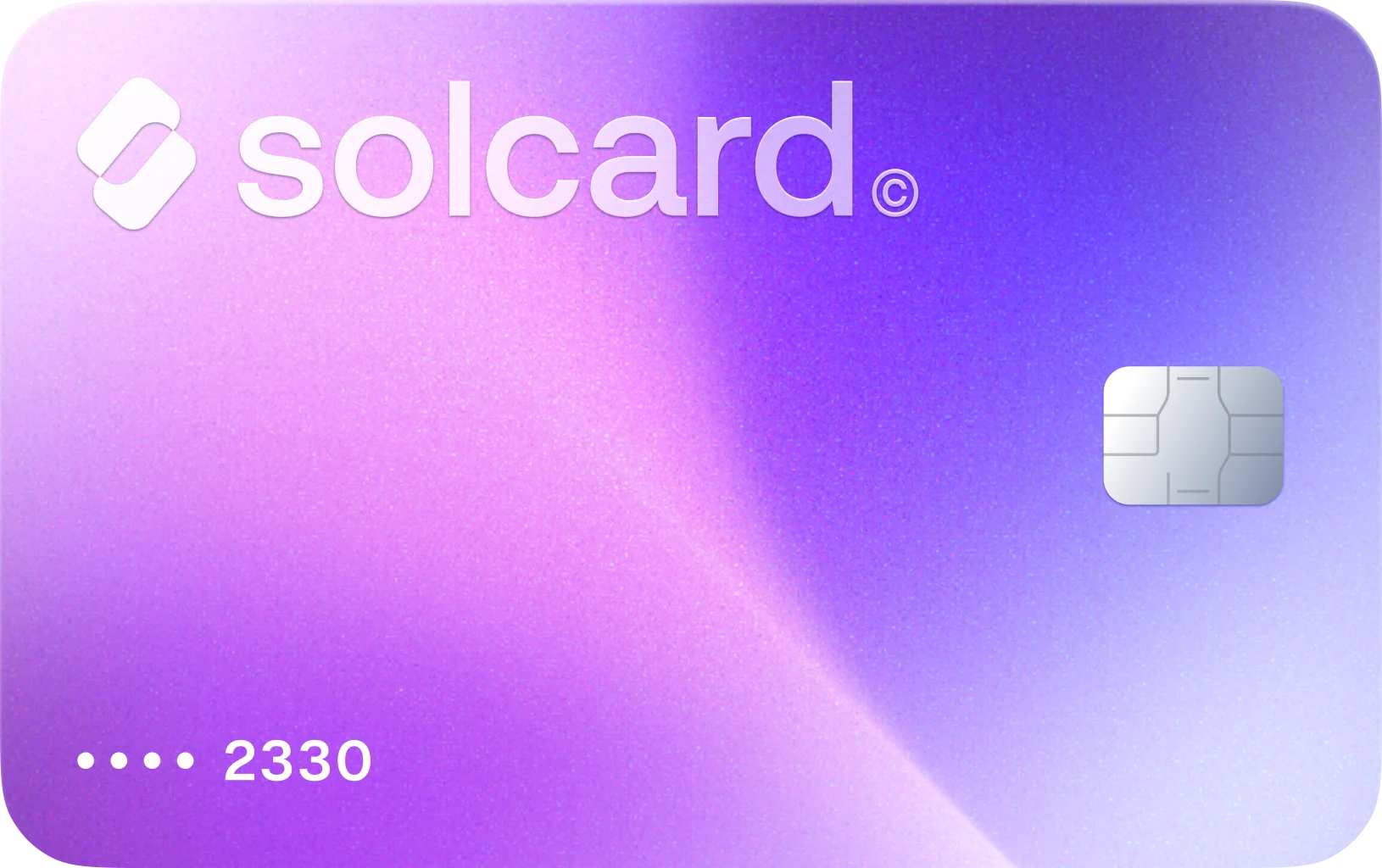
Virtual for AI & Ad Spend is a virtual card made for AI tools and ad platforms, including OpenRouter. Every OpenRouter charge on it has gone through so far, in our early SolCard payment data (July to October 2026, a small sample). Top it up with USDT, USDC, USDG, EURC, ETH, BNB, POL, AVAX, HYPE, wBTC, wETH or SOL: $10 for the card, 5% per top-up. Get Virtual for AI & Ad Spend.
OpenRouter's minimum credit top-up is $5 per purchase, and the maximum is $25,000 per transaction. The amount is the same whether you pay by card or crypto; only the fee changes.
You can pay for OpenRouter with crypto two direct ways: send USDC through OpenRouter's own checkout, which charges a 5% purchase fee, or load a crypto-funded Visa or Mastercard and buy credits with it, which OpenRouter bills at its standard 5.5% card fee. Off-ramping to a bank and paying with a bank card is the slow fallback behind both. The two direct paths work today, and they are not interchangeable.
The difference that matters is automation. OpenRouter's documented fee schedule lists crypto payments in USDC only, and crypto purchases are non-refundable. Auto top-up -- which rebuys credits when your balance drops below a threshold -- runs off a saved card. If your only funding source is a wallet, every refill is a manual errand and your agents fail when the balance hits zero at 3 a.m.
Most crypto-native developers run both: native USDC for large manual purchases, a card on file so nothing stalls.
OpenRouter does not sell subscriptions. You buy prepaid credits and draw them down per token. Model rates are passed through from the underlying provider without markup, so the only cost on a credit purchase is the fee on the purchase itself. The one other OpenRouter-specific line item is the BYOK surcharge, charged against your credit balance during usage rather than at purchase.
| What you pay for | Cost |
|---|---|
| Model inference | Passed through at the provider's own per-token rate, no markup |
| Credit purchase, card or AliPay | 5.5%, with a $0.80 minimum |
| Credit purchase, USDC | 5.0% |
| Purchase size | $5 minimum, $25,000 maximum per transaction |
| Auto top-up | Rebuys credits when your balance falls below a threshold you set |
| BYOK | First 1M requests per month free, then 5% of the equivalent OpenRouter cost |
The $0.80 card minimum is the detail that catches people out. A $5 top-up pays $0.80, a 16% effective rate; a $100 top-up pays $5.50, the true 5.5%. Buy in larger increments and let auto top-up handle the cadence.
Accepted methods are all major credit and debit cards, AliPay, and USDC. There is no direct SOL, ETH, or BTC. PayPal is not a payment option either; OpenRouter's FAQ says an integration is in progress, with no date attached.
On paper OpenRouter is one of the friendliest AI platforms for crypto users -- it takes stablecoins natively, which Anthropic and most peers do not. The constraints show up once you run production traffic on it.
The native path is USDC only, and only on the chain OpenRouter's checkout settles on. If you hold SOL or USDT, that route is closed until you convert, and if your USDC sits on a chain the checkout is not settling on, the page reports insufficient funds even though the wallet holds the balance. Crypto purchases are also non-refundable, so a wrong-chain send has no reversal path; a card purchase sits inside normal dispute rails.
The bigger constraint is automation. Auto top-up charges a saved card, and a wallet cannot arm that safety net; agent workloads burn credits unevenly, and a balance that hits zero mid-run throws errors until someone funds it by hand. Cards close that gap but bring a failure mode of their own: fraud systems at AI platforms are tuned tight, and prepaid or virtual card BINs are a common false positive. Fix that before your pipeline depends on it.
This is the path that restores automation. A crypto debit card holds a fiat balance funded from your wallet, and OpenRouter's billing sees an ordinary Visa or Mastercard.
- Open a card account and load it from your wallet. SolCard accepts SOL, USDC, USDT, and SOLC across nine networks: Solana, Ethereum, Polygon, BSC, HyperEVM, Arbitrum, Optimism, Avalanche, and Base.
- The balance lands on the card as spendable fiat.
- Go to openrouter.ai, open Credits, and add the card as a payment method.
- Buy credits in whatever increment suits you, or switch on auto top-up with a threshold and a refill amount.
- OpenRouter charges the card like any other, and the refills continue without you.
Pros:
- Auto top-up works, so agent runs do not stall on an empty balance
- Fund from SOL, USDT, or USDC on nine networks instead of USDC alone
- The same card covers Cursor, Claude, and the rest of the stack
- Charges sit inside normal dispute and chargeback rails
Cons:
- You pay OpenRouter's 5.5% card fee instead of the 5.0% crypto fee
- The provider's own top-up fee stacks on top, unless it charges 0%
- A one-time $10 issuance fee applies on both SolCard tiers
Each row assumes $100 of usable credits and shows the total outlay from your wallet.
| Path | Top-up fee | Total for $100 in credits |
|---|---|---|
| OpenRouter native USDC | n/a | $105.00 |
| SolCard Platinum | 0% | $105.50, plus a one-time $10 issuance fee |
| Bybit Card | 0.9% | ~$106.45 |
| Cwallet Cozy Card | 1.8% | ~$107.40 |
| RedotPay | See RedotPay's fees | Not published |
| Moon | 1%, $1.00 minimum | ~$106.56 |
| SolCard Virtual | 5% | ~$110.78, plus a one-time $10 issuance fee |
For a single manual purchase, OpenRouter's own USDC checkout is the cheapest line on the page. The card pulls ahead only for what it buys: automated refills, funding from assets other than USDC, refund rails, and one payment method across your whole stack.
SolCard's two tiers sit at opposite ends of that trade, and both carry the same one-time $10 issuance fee. Platinum is physical, works with Apple Pay and Google Pay, has no monthly limit, a 0% top-up fee, and 0-1.5% FX, and requires identity verification. Virtual is online-only with a $10,000 monthly limit, a 5% top-up fee, and 1-2% FX. For sustained API spend, Platinum makes the math work.
One reliability note, since a declined top-up is worse than an expensive one: on SolCard cards, more than 99% of OpenRouter authorizations that reach the network are approved. If you want a card just for AI spend, Virtual for AI & Ad Spend works only on AI and ads merchants, and every OpenRouter charge on it has gone through so far in our early data; at its 5% top-up fee, $100 of credits costs about $110.78.
If you hold USDC and are comfortable topping up by hand, this is the lowest-fee route available.
- Sign in at openrouter.ai and open the Credits page.
- Choose the crypto payment option and enter the amount you want in credits.
- Confirm which chain the checkout settles on before sending. This is where most failed payments originate.
- Send USDC from your wallet and wait for confirmation.
- Credits post to your balance. The 5% fee is applied to the purchase.
Pros:
- 5.0% beats the 5.5% card rate, with no minimum fee
- No card, no BIN filtering, no 3D Secure step
- Works even where card infrastructure is unreliable
Cons:
- USDC only, so SOL and USDT need converting first
- Non-refundable, with no dispute path
- Cannot power auto top-up, so every refill is manual
- Network fees on top, and you need gas on the right chain
Use this for large, deliberate purchases -- a $1,000 refill once a quarter. Do not make it your only funding method if anything you run is unattended.
Sell crypto on an exchange, withdraw fiat to a bank, and pay OpenRouter with a bank-issued card. Acceptance is as high as it gets and recurring charges are native, but withdrawals take one to five business days, fees apply at both ends, you need a bank in a supported country, and the sale is a disposal event in most tax jurisdictions. For a $100 top-up it is the slowest path to the same outcome.
Load the card from your wallet with a buffer over the first purchase -- for $100 of credits, load at least $120 so the 5.5% fee and any authorization hold clear. Stablecoins make the amount predictable; SOL converts at the rate at top-up time.
Sign in, go to Credits, and add the card. Enter the number, expiry, and CVV, and use a billing address matching the card's issuing country.
Buy the $5 minimum first to confirm the card is accepted. The $0.80 minimum fee makes that a 16% top-up -- the cost of finding out before a $500 purchase depends on it.
Set a threshold covering at least a day of your normal burn, so a usage spike does not outrun the refill. Keep enough fiat on the card for several refills and set a balance alert with your provider.
Insufficient balance for the fee. The charge is your credit amount plus 5.5%, not the round number you typed, and processors sometimes authorize more than the final amount. Keep a $10-$20 buffer above the purchase.
BIN filtering. Some prepaid and virtual card ranges get flagged. Cards on major Visa and Mastercard networks with strong issuing BINs clear more reliably than niche prepaid programs.
Billing address mismatch. Match the billing address to the card's issuing country -- AVS mismatch is a standard decline trigger.
Rapid retries. If a card declines, wait. Repeated failures in a short window look like card testing and can get the card blocked outright.
For a wider view of crypto payments across merchants, see our guide on how to pay with crypto.
If you hold USDC and top up a couple of times a year, use OpenRouter's native crypto checkout: 5.0%, no card to manage, and manual refills are no burden at that cadence.
If you are running agents or production traffic, use a card and turn on auto top-up. The 0.5% premium over native crypto is trivial against one failed overnight run, and SolCard Platinum's 0% top-up fee keeps your recurring cost at OpenRouter's 5.5% with nothing layered on top. The $10 issuance fee is a one-time cost on the first card.
If you hold SOL or USDT rather than USDC, a card is the shorter path anyway: spending in fiat skips the conversion the native checkout would force on you. The same logic scales across tools -- one card for OpenRouter, Cursor, and Claude means one balance to watch, and our roundup of AI subscriptions you can pay with crypto covers the rest.
At enterprise volume, talk to OpenRouter about invoicing and volume terms. At that size the purchase fee is worth negotiating.
Cards run on Visa and Mastercard rails in 200-plus countries. SolCard is not available in Hong Kong. For a broader provider comparison, see our best crypto debit cards breakdown.
In most jurisdictions, spending crypto is a disposal, whether you send it to a merchant or convert it through a card. Funding API spend with USDC or USDT is the simplest position to defend at year end, because a stablecoin holding its peg leaves no price movement to compute; topping up with an appreciated asset such as SOL does. Rules vary by country and this is not tax advice -- see our guide on spending crypto without tax headaches.
Five dollars. OpenRouter's terms set a $5 minimum and a $25,000 maximum per credit purchase. On the card path a $5 purchase still pays the $0.80 minimum fee, a 16% effective rate, so small top-ups are disproportionately expensive. Buy in larger increments and let auto top-up set the cadence.
All major credit and debit cards, AliPay, and USDC. Card and AliPay purchases carry a 5.5% fee with a $0.80 minimum; USDC purchases carry 5.0% and are non-refundable. There is no direct SOL, ETH, or BTC option, so any other asset has to be converted or spent through a prepaid crypto card.
No. PayPal is not a payment option on OpenRouter today. Its FAQ states that a PayPal integration is in progress, but no date is published. Until it lands, the choices are card, AliPay, or USDC.
Not directly. OpenRouter's native crypto checkout settles in USDC only. To spend SOL, either convert it to USDC first, or load it onto a crypto-funded card and buy credits with that card. SolCard accepts SOL, USDC, USDT, and SOLC across nine networks, and the balance reaches OpenRouter as an ordinary card charge.
Auto top-up rebuys credits whenever your balance falls below a threshold you set, charging a payment method saved on your account. You choose the trigger threshold and the refill amount. Set the threshold to cover at least a day of your normal burn so a usage spike does not outrun the refill, and keep enough fiat on the card for several consecutive refills.
Sign in at openrouter.ai and open the Credits page. From there you either add a card and buy credits (or arm auto top-up), or pick the crypto option and send USDC on the chain the checkout specifies. Credits post to your balance and draw down per token as you use the API.
Yes. OpenRouter accepts USDC for credit purchases at a 5% fee. It does not accept SOL, ETH, BTC, or other assets natively, and crypto purchases are non-refundable. Card and AliPay purchases carry a 5.5% fee with a $0.80 minimum.
No. Auto top-up charges a saved payment method, and a wallet cannot fill that role. For automated refills funded by crypto, load a crypto-funded card and save it as your OpenRouter payment method.
Per transaction, USDC is cheaper: 5.0% versus 5.5% with no minimum fee, a 50 cent difference on $100. The card is worth it when you need auto top-up, hold assets other than USDC, or want refund rails.
SOL, USDC, USDT, and SOLC, across nine networks: Solana, Ethereum, Polygon, BSC, HyperEVM, Arbitrum, Optimism, Avalanche, and Base. The balance lands on the card as fiat and OpenRouter charges it like any other card.
A chain mismatch: your USDC is on a different network than the one OpenRouter's checkout settles on. Confirm the network before sending -- because crypto purchases are non-refundable, a wrong-chain send is not recoverable through support.
Yes. The BYOK surcharge draws on your credit balance, so any card OpenRouter accepts covers it. The first 1M BYOK requests per month are free, after which the fee is 5% of the equivalent OpenRouter cost.
It depends on the tier. SolCard's Platinum card -- physical, Apple Pay and Google Pay, no monthly limit, 0% top-up fee -- requires identity verification. Virtual has a $10,000 monthly limit and a 5% top-up fee. Both carry the same one-time $10 issuance fee.
Virtual for AI & Ad Spend, the SolCard card built for AI tools and ad platforms. Every OpenRouter charge on it has gone through so far in our early data (July to October 2026, a small sample), and as a saved card it keeps auto top-up running. It costs $10 to issue and 5% per top-up; Platinum drops the top-up fee if you verify your identity.