Pay Spotify with Crypto: Gift Cards, Bitcoin, and Virtual Cards (2026)

Spotify does not accept cryptocurrency. Not Bitcoin, not USDC, not any token on any chain. Every Spotify Premium payment runs through standard card networks or PayPal, and the company has shown zero interest in adding direct crypto support.
But that does not mean you cannot pay for Spotify with crypto. Over 318 crypto-funded cards are now in circulation globally, and many of them work perfectly as a Spotify payment method. The trick is choosing the right approach. Spotify's payment system rejects certain card types, and the wrong method can leave you stuck mid-subscription.
This guide covers the three methods that work in 2026, what each one costs, and how to set up automatic recurring payments so your music never stops.
Spotify raised prices again in February 2026, the third increase in four years. Here is what each plan costs in the US:
| Plan | Monthly Price | What You Get |
|---|---|---|
| Individual | $12.99/mo | Ad-free, offline downloads, 15 hrs audiobooks |
| Student | $6.99/mo | Same as Individual + Hulu (ad-supported) |
| Duo | $18.99/mo | 2 accounts, same address |
| Family | $21.99/mo | Up to 6 accounts + Spotify Kids |
Prices vary by country. The Individual plan in the EU is EUR 11.99/mo, and in the UK it is GBP 10.99/mo. For this guide, we will use US pricing, but the payment methods work globally.
One critical detail: Spotify bills monthly via automatic recurring charges. Whatever payment method you use needs to support recurring billing. If the charge fails on renewal day, Spotify retries a few times and then reverts you to the ad-supported free tier.
This is the most reliable way to pay for Spotify with crypto, and it is the method we recommend for anyone who wants a set-it-and-forget-it subscription.
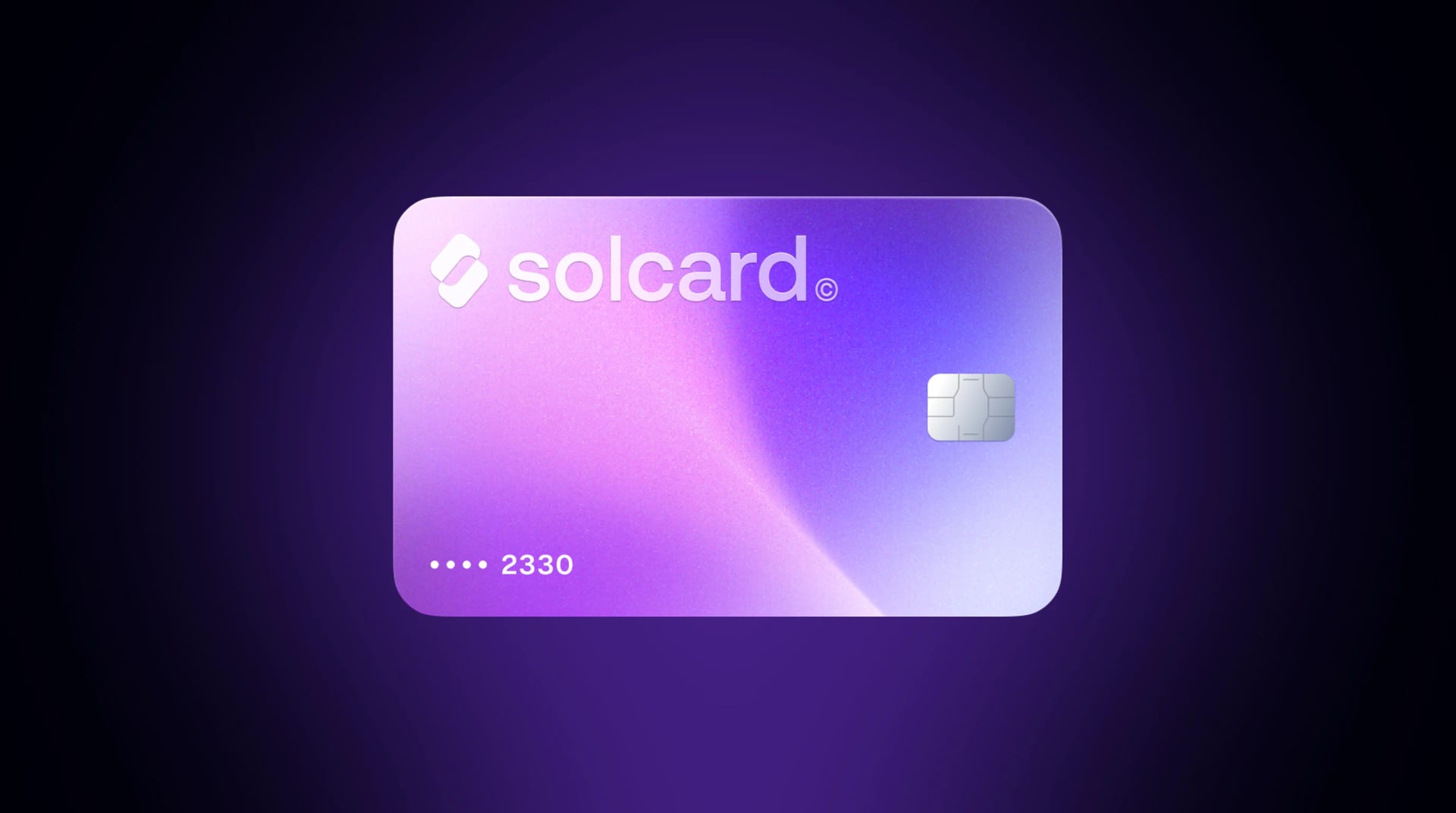
A crypto debit card converts your digital assets to fiat currency when you make a purchase. You load it with USDC, USDT, SOL, BTC, or other tokens. Spotify's payment system sees a standard Visa or Mastercard and processes the charge like any normal card payment.
Unlike gift cards (covered below), a crypto debit card supports automatic recurring billing. Once you add your card number to Spotify, the subscription renews every month with no need to buy and redeem a new gift card every 30 days. As long as your card balance covers the charge, your Premium access continues uninterrupted.
This matters because Spotify's fraud detection system is stricter than many other subscription services. Failed payments can trigger risk flags on your account, and multiple failed charges may temporarily block you from adding new payment methods.
Not all crypto cards handle recurring subscriptions equally. Some cards are classified as "prepaid" at the BIN (Bank Identification Number) level, which can cause issues with Spotify's payment processor. Cards classified as "debit" typically process without problems.
Here is how the major crypto cards compare for Spotify payments specifically:
| Feature | SolCard | Bybit Card | RedotPay | Moon | Crypto.com |
|---|---|---|---|---|---|
| Network | Visa/Mastercard | Mastercard | Visa | Visa | Visa |
| Top-up fee | 0% (Platinum) / 5% (Virtual) | 0.9% | Not published | 1%, $1.00 minimum | 0.5-1.5% spread |
| Per-tx fee | $0 | $0 | Not published | Varies | $0 |
| KYC required | Optional | Yes | Yes | Yes | Yes |
| Recurring billing | Yes | Yes | Yes | Yes | Yes |
| Apple/Google Pay | Yes (Platinum) | Yes | Yes | No | Yes |
| Spotify rebate | No | No | No | No | 100% (Jade tier, requires $4K CRO stake) |
Real cost to pay for Spotify Individual ($12.99/month):
- SolCard Platinum (KYC verified): $12.99 + 0% top-up = $12.99/month
- SolCard Virtual (no KYC): $12.99 + 5% top-up ($0.65) = $13.64/month
- Bybit Card: $12.99 + 0.9% conversion = $13.11/month
- RedotPay: not quoted -- RedotPay publishes its card fees only as an image on its fee page, so check it directly
- Crypto.com (base tier): $12.99 + ~1% spread = $13.12/month (no rebate without staking)
For the full detail behind one of those columns, see how SolCard and Moon line up side by side, with each Moon figure quoted from its own site.
SolCard's Platinum tier costs $12.99/month total, the same as the subscription price with no added fees. The Virtual tier's 5% top-up fee pushes the cost slightly higher, but it remains one of the few crypto cards in 2026 that does not require identity verification. For a deeper comparison of all the options, see our best crypto debit cards comparison.
The Crypto.com Jade/Indigo tier offers a 100% Spotify rebate paid in CRO tokens, but it requires staking $4,000 worth of CRO for 180 days. If CRO drops 50% during that lockup, you lose $2,000 to save $13/month. For most people, paying the $13/month directly is the smarter financial decision.
- Get a card. Visit SolCard and choose Virtual (no KYC, issued in ~30 seconds) or Platinum (KYC verified, 0% top-up fee). The $10 issuance fee is a one-time cost.
- Top up. Send USDC, USDT, or SOL to your SolCard wallet. For Spotify Individual, load at least $20 to cover the $12.99 subscription and leave a buffer for potential FX markup if your Spotify account bills in a non-USD currency.
- Add the card to Spotify. Log in at spotify.com/account, go to "Subscription" and click "Update" next to payment method. Enter your card number, expiration date, and CVV.
- Verify the charge. Spotify may place a small authorization hold (usually $1 or less) to verify the card. Make sure your balance covers this.
- Set a top-up reminder. Your subscription auto-renews monthly. Keep enough balance loaded to cover at least two months of charges, which avoids a service interruption if you forget to top up.
Spotify is more aggressive about flagging unusual payment methods than services like Netflix or YouTube Premium. Based on what works:
- Match your billing address country to your Spotify account country. This is the number one cause of declines. If your Spotify account is set to the US, your card's billing address must also be in the US.
- Maintain a balance above the subscription amount. Do not load exactly $12.99. Spotify's authorization check pulls slightly more than the subscription price to verify the card. Keep at least $20 loaded.
- Use stablecoins for top-ups. Funding your card with USDC or USDT means your balance does not fluctuate with market volatility. If you load $50 in SOL and it drops 20% before your next billing date, the charge will fail. Stablecoins eliminate this risk entirely.
- Do not use a brand-new card for the first payment. Some users report that making one or two small purchases with a new crypto card before adding it to Spotify reduces the chance of it being flagged.
For more on how to pay with crypto in general, including other subscription services, see our comprehensive guide.
If you do not want to use a card at all, or if your crypto card keeps getting declined, buying Spotify gift cards with crypto is a reliable fallback. Several platforms sell Spotify gift cards for Bitcoin, Ethereum, USDT, and dozens of other tokens.
- Visit a gift card marketplace (Bitrefill, CoinsBee, or eGifter)
- Select a Spotify gift card in your country's currency
- Pay with your preferred cryptocurrency
- Receive a gift card code instantly via email
- Redeem the code at spotify.com/redeem
The gift card credit applies to your next billing cycle. You can stack up to 18 months of Premium time on a single account.
| Platform | Accepted Crypto | Processing Fee | Delivery | KYC Required |
|---|---|---|---|---|
| Bitrefill | BTC, Lightning, ETH, USDT, USDC, SOL, DOGE, LTC, Dash | ~2-3% | Instant | No |
| CoinsBee | 200+ cryptocurrencies | ~2-5% | Instant | No |
| eGifter | BTC, BCH, LTC, ETH | ~3% | Instant | No |
| CryptoRefills | BTC, Lightning, ETH, USDT, LTC, SOL | ~2-4% | Instant | No |
Bitrefill is the most popular option for good reason: it supports Solana directly, has the lowest fees, and delivers codes instantly. It also accepts Lightning Network payments for near-zero Bitcoin transaction fees.
Gift cards work, but they are not ideal for a recurring subscription:
- No automatic renewal. You must remember to buy a new gift card before your balance runs out. If you forget, Spotify downgrades you to the free tier.
- Fees add up. A 2-3% processing fee on every purchase means you pay an extra $3-4 per year compared to a crypto debit card.
- Limited to Individual plans. Spotify gift cards can only be redeemed for the Individual Premium plan. You cannot use them for Student, Duo, or Family subscriptions.
- Region locked. The gift card must match your Spotify account's country. A US gift card will not work on a UK account.
- 12-month expiration. Unredeemed gift card codes expire after 12 months from purchase.
- Time cost. Buying, receiving, and redeeming a gift card every month takes about 5-10 minutes each time. Over a year, that is roughly an hour of effort that a crypto card eliminates entirely.
If you are in a situation where your country lacks good crypto card options, gift cards remain a solid workaround. But for most users, Method 1 (a crypto-funded card) is more practical for a monthly subscription.
If you already have a PayPal account, this method requires no additional sign-ups. Several crypto platforms allow you to sell crypto and withdraw USD (or EUR, GBP) to PayPal, which you can then use to pay for Spotify.
- Sell crypto on an exchange that supports PayPal withdrawals (Coinbase, Kraken, or similar)
- Withdraw the fiat balance to your PayPal account
- Add PayPal as your Spotify payment method at spotify.com/account
- Spotify charges PayPal automatically each month
- Slowest method. Selling crypto, waiting for the withdrawal to clear, and then having PayPal process the payment can take 1-3 business days.
- Exchange fees. You pay the exchange's trading fee (typically 0.5-1.5%) plus any withdrawal fee to PayPal.
- Tax event. Selling crypto on an exchange creates a taxable event in most jurisdictions. If your crypto has appreciated since you bought it, you owe capital gains tax on the difference. For more on this, read our guide on spending crypto and taxes.
- Full KYC required. Every major exchange that supports PayPal withdrawals requires identity verification.
- Not truly "paying with crypto." You are converting to fiat first, which defeats the purpose for many crypto-native users.
This method makes sense if you already use an exchange and PayPal regularly and do not mind the extra steps. It is the least efficient option but works reliably.
Here is a decision framework based on what matters most to you:
| Priority | Best Method | Why |
|---|---|---|
| Set-and-forget automation | Crypto debit card | Auto-renews monthly, no manual intervention |
| Privacy (no KYC) | Gift cards via Bitrefill | No identity verification at any step |
| Privacy + automation | SolCard Virtual | No KYC required, supports recurring billing |
| Lowest total cost | Crypto debit card (Platinum tier) | 0% top-up fee vs. 2-3% per gift card purchase |
| Already have PayPal | PayPal method | Uses existing infrastructure |
| Family/Duo plan | Crypto debit card | Gift cards only work for Individual plan |
For most crypto holders, a crypto-funded debit card is the best solution. It handles recurring billing automatically, works with all Spotify plan types, and costs less than gift cards over time. The main decision is whether to prioritize no-KYC convenience (Virtual tier cards) or lower fees (KYC-verified cards with 0% top-up).
If you want to spend Bitcoin like cash on everyday subscriptions and purchases, a crypto card is the most practical path in 2026.
Once you have a crypto-funded card set up for Spotify, the same card works for virtually any subscription service that accepts Visa or Mastercard. Here are common subscriptions that SolCard and similar crypto card users pay for:
- Streaming: Netflix, YouTube Premium, Apple Music, Disney+, Hulu, HBO Max
- AI tools: ChatGPT Plus, Claude Pro, Midjourney, GitHub Copilot
- Cloud storage: iCloud+, Google One, Dropbox
- Gaming: Xbox Game Pass, PlayStation Plus, Nintendo Switch Online
- Productivity: Adobe Creative Cloud, Microsoft 365, Notion
- VPN: NordVPN, ExpressVPN, Mullvad
The advantage of using a single crypto card for all your subscriptions is consolidation. Instead of managing multiple gift cards across different platforms, you load one card and everything auto-renews from the same balance. This is one of the most practical use cases for a crypto debit card in 2026.
Yes. Gift card marketplaces sell Spotify cards for Bitcoin, and the code arrives by email instantly. Bitrefill also accepts Lightning Network payments, which keeps the Bitcoin network fee near zero. Redeem the code at spotify.com/redeem and the credit applies to your next billing cycle. The gift card must match your Spotify account's country, and unredeemed codes expire 12 months after purchase.
Four marketplaces cover almost every asset: Bitrefill (BTC, Lightning, ETH, USDT, USDC, SOL, DOGE, LTC, Dash, ~2-3% fee), CoinsBee (200+ cryptocurrencies, ~2-5%), CryptoRefills (BTC, Lightning, ETH, USDT, LTC, SOL, ~2-4%), and eGifter (BTC, BCH, LTC, ETH, ~3%). All four deliver instantly and none require identity verification. Bitrefill is the usual pick: lowest fees and direct Solana support.
Yes, two ways. Load USDT onto a crypto debit card and add that card to your Spotify account, which is the only route that auto-renews each month. Or spend USDT at a gift card marketplace such as Bitrefill or CoinsBee and redeem the code against your account. Stablecoins are the better funding asset either way, because a balance loaded in USDT does not lose value before your renewal date.
A crypto card, for anything you intend to keep. Gift cards do not auto-renew, cost 2-3% per purchase against 0% top-up on a KYC-verified card, work only on the Individual plan, are locked to one country, and take 5-10 minutes to buy and redeem every month. Gift cards earn their place in two cases: your country has no workable crypto card, or your card keeps getting declined at Spotify's checkout.
Up to 18 months of Premium time on a single account. Each redeemed code adds credit to the same balance, so you can buy several cards with crypto in one sitting and stop worrying about monthly renewals. The 12-month expiry applies to unredeemed codes, not to credit already applied to your account.
No. Spotify does not accept any cryptocurrency as a direct payment method. The only way to pay for Spotify with crypto is indirectly: through a crypto-funded debit card that Spotify treats as a normal Visa/Mastercard, through gift cards purchased with crypto, or by converting crypto to fiat via PayPal. There is no indication that Spotify plans to add native crypto support.
It depends on the card. Spotify officially lists prepaid Visa and Mastercard as accepted payment methods, but cards classified as "gift cards" at the BIN level are typically rejected for recurring subscriptions. Crypto debit cards like SolCard that are classified as standard debit or prepaid cards on the Visa/Mastercard network generally work fine. If your card is declined, try the gift card method as a fallback.
Spotify does not cancel your Premium immediately after a failed payment. The service retries the charge a few times over several days. If all retry attempts fail, Spotify downgrades your account to the free ad-supported tier and sends you an email notification. You can resubscribe at any time by updating your payment method. To avoid this, keep your crypto card balance topped up above the subscription amount; $20+ for the Individual plan is a safe buffer.
A regular bank card is slightly cheaper in most cases because there are no additional fees beyond the subscription price. A crypto debit card can add a small cost. SolCard Platinum has no additional fees, while the Virtual tier adds about $0.65/month (5% top-up fee), and gift cards add 2-3% per purchase. The premium is the cost of converting crypto to fiat. If you prefer to keep your finances in crypto and avoid traditional banking, that small fee is the trade-off.
Yes, but only via a crypto debit card or PayPal funded with crypto. Spotify gift cards can only be redeemed for the Individual Premium plan; they do not work for Student, Duo, or Family subscriptions. If you need a Family plan ($21.99/month) or Duo plan ($18.99/month), a crypto-funded card is your only option.
In most countries, yes. When you use crypto to pay for goods or services, whether through a debit card or by buying a gift card, the conversion from crypto to fiat creates a taxable event. If the crypto you spent has increased in value since you acquired it, you owe capital gains tax on the appreciation. Using stablecoins like USDC or USDT minimizes this because their value does not fluctuate. For a detailed breakdown of crypto tax implications, see our guide on crypto spending and taxes.
Yes. Crypto debit cards on the Visa or Mastercard network work in 200+ countries. The key requirement is that your card's billing country matches your Spotify account's country setting. SolCard, for example, works at 150M+ merchants globally. If you are paying in a non-USD currency, factor in the FX conversion fee: 0-1.5% on SolCard Platinum or 1-2% on the Virtual tier.
The most common reasons are: (1) billing address country mismatch with your Spotify account country, (2) insufficient balance on the card, since Spotify authorizes slightly more than the subscription price, (3) the card's BIN is flagged as a gift card rather than a debit/prepaid card, or (4) the card is brand new with no transaction history, triggering fraud detection. Try making a small purchase elsewhere first, ensure your billing address matches, and load at least $20 before adding the card to Spotify.