
Best Crypto Debit & Credit Cards 2026: Fees, Limits & Picks
Eight crypto debit and credit cards compared in 2026: SolCard, MetaMask, Coinbase, Nexo, RedotPay, Crypto.com, and Binance. Real top-up, FX, and ATM fees.

In this article
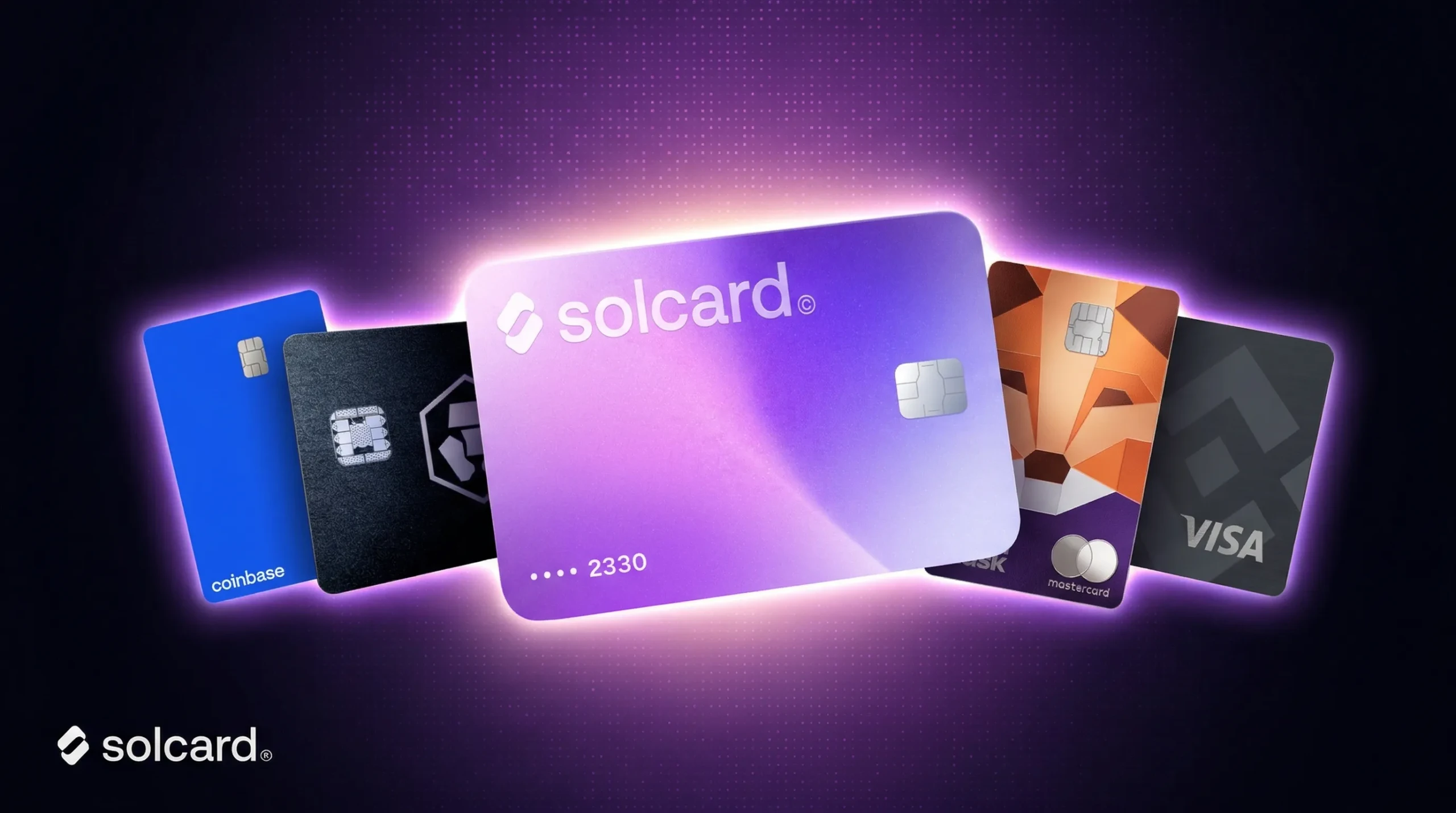
There is no single best crypto card in 2026: SolCard leads for multi-chain prepaid spending with 0% Platinum top-ups, MetaMask Card leads for self-custody, Coinbase Card is the simplest US option for USDC, and Nexo fits European holders who want to borrow against crypto instead of selling. One card on many older lists, the BitPay Card, has been discontinued.
We compared eight widely searched crypto debit cards on the numbers that actually affect your wallet: top-up and conversion fees, FX markups, ATM charges, realistic cashback (not headline maximums locked behind $500,000 stakes), and where each card actually accepts new signups. If you are new to how these cards work at checkout, start with what a crypto debit card is.
Most comparison charts bury the real cost under headline cashback numbers. Before you pick a card, check five things:
- Total transaction cost. Add the top-up fee, conversion spread, and foreign exchange markup together. A "zero-fee" card with a 2% hidden spread costs more than a card with a transparent 1% fee.
- Realistic rewards. Cashback up to 4.5% sounds great until you read the fine print and see it requires a 12-month $500,000 token lock or caps rewarded spend at $750 a month.
- Regional availability. US, UK, EEA, and global rules diverge sharply. Some cards pause signups in major markets or restrict higher tiers by country.
- Custody model. Most cards are custodial (you top up a balance). MetaMask Card is the main exception, spending straight from your wallet at checkout.
- Wallet and network support. Check whether the card supports Apple Pay and Google Pay, and whether you can deposit the tokens and networks you already hold (such as USDC or USDT on Solana, Ethereum, Base, or Polygon).
| Card | Network | Top-up / conversion fee | Cashback | KYC required | US available | Best for |
|---|---|---|---|---|---|---|
| SolCard | Visa and Mastercard | 0% (Platinum), 5% (Virtual) | None | Optional (Virtual up to $10k/mo) | Virtual only | Multi-chain everyday spending |
| Nexo Card | Mastercard | No conversion fee | Up to 2% (Credit Mode only) | Yes | No (EEA/UK only) | Spending without selling crypto |
| MetaMask Card | Mastercard | 0% matching stablecoin; 0.5% to 0.875% other | 1% to 3% | Yes | Signups paused | Self-custody |
| RedotPay | Visa | 1% conversion + 1.2% FX | None | Yes | No | Global reach (100+ countries) |
| BitPay Card | Discontinued | N/A | N/A | N/A | Discontinued | No longer offered |
| Coinbase Card | Visa | 0% USD/USDC; spread on other crypto | Variable (rotating tokens) | Yes | Yes (excl. Hawaii) | US Coinbase users spending USDC |
| Crypto.com Card | Visa | 1% debit top-up (2.99% credit, US) | 0% to 4.5% (tier-dependent) | Yes | Yes | Tiered perks and lounge access |
| Binance Card | Mastercard | 0.9% | Up to 3% | Yes | No (Brazil only) | Brazilian Binance users |
Check regional eligibility before depositing funds
Availability changes fast in this category. MetaMask Card has temporarily paused new US and UK signups, Binance Card now serves Brazil only, and SolCard Platinum is not available in the US (US residents can use the Virtual tier only). Always confirm your country is supported before moving crypto.
SolCard is a prepaid Visa and Mastercard card funded directly from your crypto wallet, with no bank account and no credit check. It supports SOL, USDC, USDT, and other tokens across 9+ networks including Solana, Ethereum, Base, and Polygon, plus USDT on Tron, USDG, and EURC, wBTC and wETH on Solana, and native ETH, BNB, POL, AVAX, and HYPE.
You top up from your wallet, the balance converts to USD, and you spend online or in-store at 150M+ merchants in 200+ countries. Our Apple Pay crypto card guide walks through adding the Platinum card to Apple Pay or Google Pay.
Fees and tiers: SolCard runs two tiers, both with $0 monthly fees, a one-time $10 issuance fee per card, and a $0.30 per-transaction fee (see the SolCard fee breakdown and our fees page). The Virtual tier needs no identity verification, carries a 5% top-up fee, a 1-2% FX spread, and a $10,000 monthly spending limit (online only, no Apple Pay or Google Pay). The Platinum tier requires identity verification, drops the top-up fee to 0%, lowers the FX spread to 0-1.5%, removes the monthly spending cap, supports multiple virtual cards plus physical access, and adds Apple Pay and Google Pay.
Availability: Served in most countries worldwide, excluding restricted jurisdictions (such as Cuba, North Korea, Egypt, Iran, Myanmar, Nigeria, Russia, South Africa, Syria, Ukraine, Venezuela, Belarus, and Hong Kong). In the United States, only the Virtual tier is available.
Strengths and trade-offs: SolCard shines if you want multi-chain deposits, fast virtual card issuance, and 0% top-up fees on Platinum. The trade-offs are clear too: there is no cashback program, the Virtual tier's 5% top-up fee is expensive for heavy daily use, and US residents cannot access Platinum or Apple Pay.
The Nexo Card is a Mastercard that lets you switch between Debit Mode (spends your balance directly) and Credit Mode (borrows against your crypto collateral at checkout so you do not sell your holdings or trigger a disposal).
Fees and cashback: Nexo charges no monthly, annual, or issuance fees. ATM withdrawals are free up to a tier-based monthly allowance, then 2%. Foreign transaction fees start at 0.2% inside the EEA. Credit Mode borrowing rates start at 1.9% APR and climb based on your loyalty tier and loan-to-value ratio. Cashback works only in Credit Mode (up to 2% in NEXO or 0.5% in BTC) and requires an account balance above $5,000.
Availability: EEA and UK only. Not available in the US. Physical cards require Gold loyalty tier or above plus a $5,000+ balance.
Strengths and trade-offs: Ideal for European holders who want to keep exposure to their crypto while spending. The downside is complexity: Credit Mode carries liquidation risk if collateral drops, Debit Mode earns no cashback, and US users are shut out.
The MetaMask Card is a Mastercard debit card linked straight to your self-custody wallet. Your crypto stays in your wallet until the moment you tap, instead of sitting on a custodial balance. Supported assets include mUSD, USDC, USDT, wETH, EURe, and GBPe across Linea, Solana, Base, and Monad.
Fees and cashback: The virtual card is free and pays 1% cashback in mUSD. The Metal Card costs $199/year and pays 3% cashback on the first $10,000 spent annually before reverting to the standard rate. Conversion is free when spending a stablecoin that matches your local currency, 0.5% for a non-matching stablecoin, and 0.875% for other tokens. The free tier also pays a 1% cross-border fee and 2% on ATM withdrawals.
Availability: Live in 40+ countries including the EEA, Switzerland, Argentina, Brazil, Canada, Colombia, and Mexico. New signups in the US and UK are temporarily closed, though existing holders can keep spending.
Strengths and trade-offs: True self-custody and zero conversion cost on matching stablecoins make MetaMask Card stand out. The catches are the $199 annual fee for Metal, the $10,000 annual cap on 3% cashback, and the US/UK signup pause.
RedotPay is a Hong Kong-based Visa card built for international reach, serving 100+ countries with Apple Pay, Google Pay, and Binance Pay top-ups.
Fees and cashback: No monthly or annual fee, but issuance costs $10 for a virtual card and $100 for a physical card. Expect a 1% crypto conversion fee plus a 1.2% FX markup on cross-currency purchases, and a 2% ATM fee (3% above $10,000/month). There is no purchase cashback program.
Availability: 100+ countries, with mandatory identity verification. Not available in the US, mainland China, Russia, Iran, Cuba, North Korea, Ukraine, and several other restricted regions.
Strengths and trade-offs: Broad country coverage and high user-configurable limits are useful outside the US, but stacking a 1% conversion fee with a 1.2% FX fee and $100 physical card issuance makes it pricier than advertised.
BitPay no longer offers its debit card. Its card page redirects to the homepage and no fee schedule is published. BitPay's app still handles self-custody wallets, gift cards, and bill pay, but anyone looking for a card needs an active alternative. Our BitPay Card status guide covers what happened to existing balances.
The Coinbase Card is a US-only Visa debit card tied directly to your Coinbase balance (every state except Hawaii). Coinbase also offers the separate Coinbase One Card (American Express), which pays 2% to 4% back in Bitcoin on up to $10,000/month for paid Coinbase One members ($49.99+/year).
Fees and cashback: The Visa debit card charges no issuance fee, no monthly fee, no international fee, and zero transaction fees on USD or USDC. Spending any other crypto triggers a conversion spread baked into the exchange rate. Cashback rotates across available tokens inside the app. Daily limits sit at $5,000 for top-ups and $1,000 for ATM withdrawals.
Strengths and trade-offs: Hard to beat for US users who already keep USDC on Coinbase and want zero-fee everyday spending. The catch is US-only availability, mandatory KYC, and the hidden spread if you spend volatile coins instead of USDC. See our full Coinbase Card vs SolCard comparison for a head-to-head breakdown.
The Crypto.com Card is a Visa prepaid card built around tiered staking and subscription perks, available across the US, EU, UK, and many other regions.
Fees and cashback: No annual fee, and top tiers waive FX fees. Debit-card top-ups cost 1% (in the US, credit card top-ups cost 2.99% and PayPal 2.1%). Foreign transactions cost 3% for US holders on Midnight, Ruby, Jade, and Indigo; European holders on those tiers pay 0.2% inside the EU/UK and 2% outside. Free ATM allowances run $200 to $1,000/month depending on tier, then 2%.
Cashback is paid in CRO and capped on every tier:
- Midnight Blue: 0% cashback, $4.99 issuance, no stake required.
- Ruby Steel: 1.5% on up to $750/month ($4.99/mo, $49.90/yr, or a $500 12-month CRO stake; $29.99 issuance).
- Jade Green / Royal Indigo: 2.5% on up to $1,500/month ($29.99/mo, $299.90/yr, or a $5,000 12-month CRO stake).
- Icy White / Rose Gold: 3.5% on up to $3,000/month, then 0.5% ($50,000 12-month CRO stake).
- Obsidian: 4.5% on up to $5,000/month, then 1% ($500,000 12-month CRO stake).
Strengths and trade-offs: Strong perks if you already hold CRO and want airport lounge access or streaming rebates. For everyone else, the 12-month lockups, monthly cashback caps, and exposure to CRO price swings make the real return much lower than the headline rate. Our Crypto.com card fees and limits breakdown covers every tier by region.
The Binance Card is a Mastercard tied to a Binance account, supporting ten cryptocurrencies (USDT, USDC, FDUSD, BNB, BTC, ETH, SOL, ADA, LINK, XRP) with Apple Pay and Google Pay.
Fees and cashback: Free issuance, no annual fee, 0.9% crypto conversion fee, 1% to 2% FX fee, and two free ATM withdrawals per month ($1.50 thereafter). Cashback runs up to 3% monthly (the older 8% BNB tier program is no longer published). Spending is capped at 25,000 BRL/day and 50,000 BRL/month.
Availability: Brazil only. Binance closed its EEA card program in December 2023 and does not offer the card in the US. See our Binance Card availability guide for details.
Test any new card with a small deposit first
Before moving thousands onto any crypto card, load $20 to $50 and make one local purchase plus one foreign-currency purchase. That shows you the exact effective exchange rate and spread on your statement in minutes.
We compared each card on six practical criteria: total fee transparency (including spreads), realistic cashback most people actually qualify for, current country availability, supported tokens and blockchains, custody model, and day-to-day usability (virtual issuance and Apple Pay / Google Pay).
If you want to compare specific pairs in detail, check our SolCard vs Gemini Card, SolCard vs RedotPay, or Jupiter Card guides.
SolCard's Virtual tier requires no identity verification and supports up to $10,000 per month in online spending, though it carries a 5% top-up fee and does not support Apple Pay or Google Pay. Most other major cards, including Coinbase, Crypto.com, Nexo, MetaMask, and RedotPay, require full KYC on every tier.
For US residents, the Coinbase Card (available in 49 states, excluding Hawaii) and the Crypto.com Card are the two full-featured options open to new applicants. Coinbase is the cleanest pick if you spend USDC for zero transaction fees. SolCard also serves US users on its Virtual tier for online spending (Platinum is not available in the US). MetaMask Card has paused US signups, and BitPay Card is discontinued.
Many do. Even cards that advertise "0% fees" often build a 0.5% to 2% spread into the crypto-to-fiat conversion rate or add a 1% to 3% foreign exchange markup. Always check top-up fee, conversion spread, FX fee, and ATM fee together before choosing a card.
It is worth it if you hold crypto and want to spend it at everyday merchants without cashing out through an exchange and waiting on a bank transfer. Keep an eye on total fees: paying 0% to 1% is reasonable for convenience, while paying 3% to 5% on high-frequency everyday spending adds up quickly.
Yes, on cards that issue a physical card. Binance offers two free withdrawals per month in Brazil ($1.50 after), Coinbase charges $0 on its side up to $1,000/day (ATM operators may still charge), RedotPay charges 2% up to $10,000/month and 3% above, and Crypto.com gives $200 to $1,000/month free depending on tier before charging 2%.
SolCard, RedotPay, MetaMask Card, Coinbase Card, and Binance Card do not require locking a token to use the card. Crypto.com is the main exception: every cashback tier above Midnight Blue requires a 12-month CRO stake (only Ruby and Jade offer a paid subscription alternative).
Of the cards here, SolCard and MetaMask Card both support USDT directly. SolCard accepts USDT across 9+ networks including Solana, Ethereum, Base, and Polygon with 0% top-up fees on verified Platinum (5% on Virtual). MetaMask Card spends USDT directly from self-custody with no pre-loading. Our USDT card guide compares deposit networks and total costs.
Headline rates reach 4% on the Coinbase One Card (Amex) and 4.5% on Crypto.com Obsidian, but Obsidian requires a $500,000 CRO lockup and Coinbase One requires a paid membership with a $10,000/month cap on the top tiers. For everyday spenders without massive stakes, MetaMask Metal (3% up to $10,000/year for $199/year), Binance in Brazil (up to 3%), and Crypto.com Ruby Steel (1.5% up to $750/month for $4.99/month) are more realistic.
Match the card to how you actually spend, not to the biggest marketing banner. If you live in the US and spend USDC, Coinbase Card keeps costs at zero. If you are in Europe and want to borrow against holdings, look at Nexo. If you want self-custody in a supported country, MetaMask Card is the cleanest design. And if you want a multi-chain prepaid card that takes SOL, USDC, and USDT across 9+ networks with 0% top-up fees on Platinum and no bank account required, SolCard fits everyday spending without forcing you into a single exchange.
If you are still weighing cards against direct on-chain payments or gift cards, see our guide on how to pay with crypto or our review of whether SolCard is legit.



